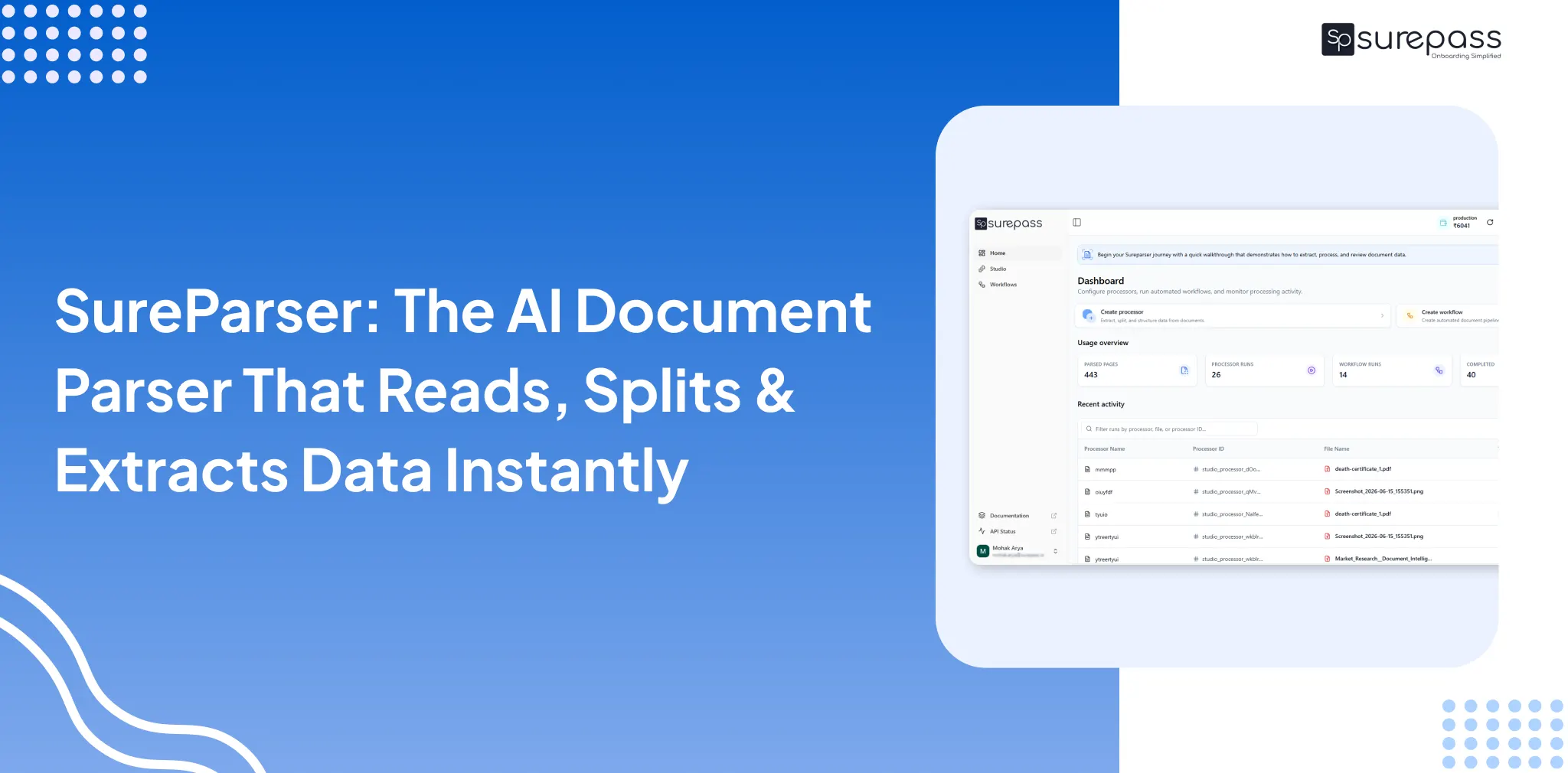
According to reports, employees spend 30% of their time on manual data processing. This increases operational costs, leads to errors, and causes slow turnaround times. This has increased the need for AI-powered document parsing solutions. Sureparser is a Surepass AI-powered document processing platform that automatically reads, understands, classifies, splits, and extracts data from any documents.
Here, in this guide, you will learn about Sureparser, how it works, and why businesses rely on it.
What is Sureparser?
Sureparser is an AI document processing and workflow automation platform that converts unstructured data into structured, validated, and workflow-ready data. In simple words, it converts documents into structured data.
For example:
A business receives an image of an Aadhaar card.
For verification, the operations team has to read, extract, or manually type information for processing. It solves this by automatically splitting, extracting, and categorizing data according to your instructions.
What are the benefits of integrating Sureparser into Business Workflow?
This intelligent document extraction and parsing solution offers various advantages to the business:
- High Accuracy: Unlike manual processing, which leads to many errors. This AI document parser accurately extracts data from all kinds of documents.
- Faster Processing: Automated parsing eliminates repetitive work and processes thousands of documents within minutes.
- Provides Actionable Report: It automatically creates a structured report that is easy to analyze and helps the team focus on important tasks rather than investing time in data processing.
Automate your KYC Process & Reduce Fraud!
We have helped 3000+ companies in reducing Fraud by 95%
What Document Processing Issues Does Sureparser Solve?
Almost all businesses face these issues in document processing:
- Mixed Format Documents: Businesses receive various kinds of documents and files in formats like PDFs, scanned images, or multi-page packets with no standard structures. It makes it very hard to process this data.
- No Document Classification: A single file can contain multiple documents (PAN, Aadhaar, bank statement, invoice). The operations team has to review and identify each document.
- Time-consuming manual splitting of files: Before the actual work, teams manually split each document type and make separate files.
- Manual and Repetitive Data Extraction: Important data fields like name, IDs, account numbers, invoice amounts, and addresses are extracted manually. It increases workload and slows down operations.
- Process Delays Across Workflows: The whole manual process increases errors and operational delays, which slow down business operations.
- High Operational Cost and Scalability Issues: Higher volume means more manual effort, making it expensive and difficult for teams to scale efficiently.
Sureparser provides all the solutions in one place and streamlines the entire document processing lifecycle.
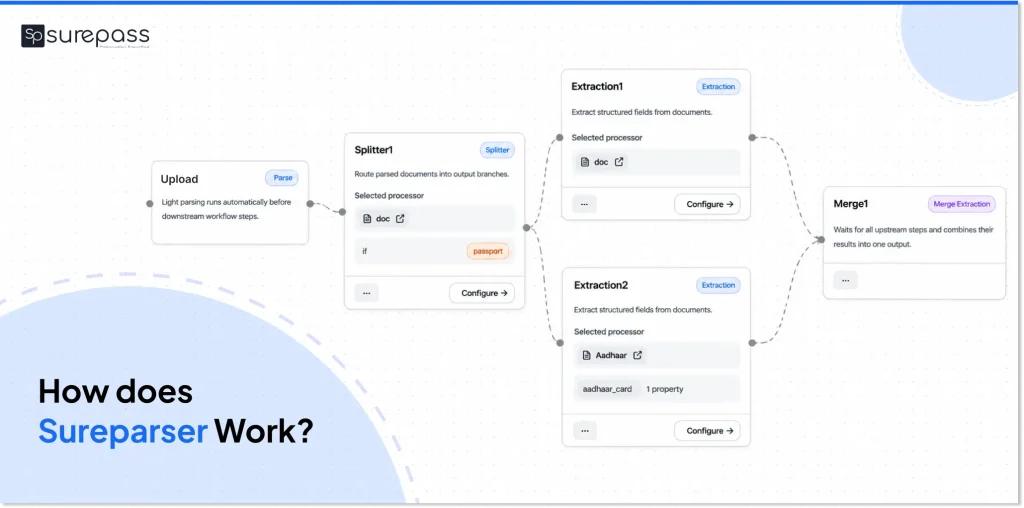
How Does Sureparser Work?
Here is a simple overview of the Sureparser workflow that any user can use:
Step 1: Upload the Document
Users upload PDF or image files (PDF, PNG, JPG, and JPEG formats).
Our smart document parser stores the file and instantly generates a reusable file ID.
Step 2: Create Processor
Users select a processor, which is a reusable configuration that defines how the document should be handled. It offers two types of processors:
Splitter: Splits a file containing multiple document types. It automatically identifies, segments the files, and routes them for further processing.
Extractor: Pulls structured fields from a document based on a defined schema.
Step 3: Define the Schema
The user needs to define what fields should be extracted from each document. Users have both the manual option and the AI schema builder.
Step 4: Run the Processor
The user needs to run the processor on the uploaded file. Sureparser processes the document and returns an execution ID.
From the dashboard, users can track processing status, view the extracted output, and check for any errors.
Step 5: Get Structured Output
Receive structured information on the dashboard, or export data to CRM systems, loan origination systems, the underwriting team, or any external system through APIs.
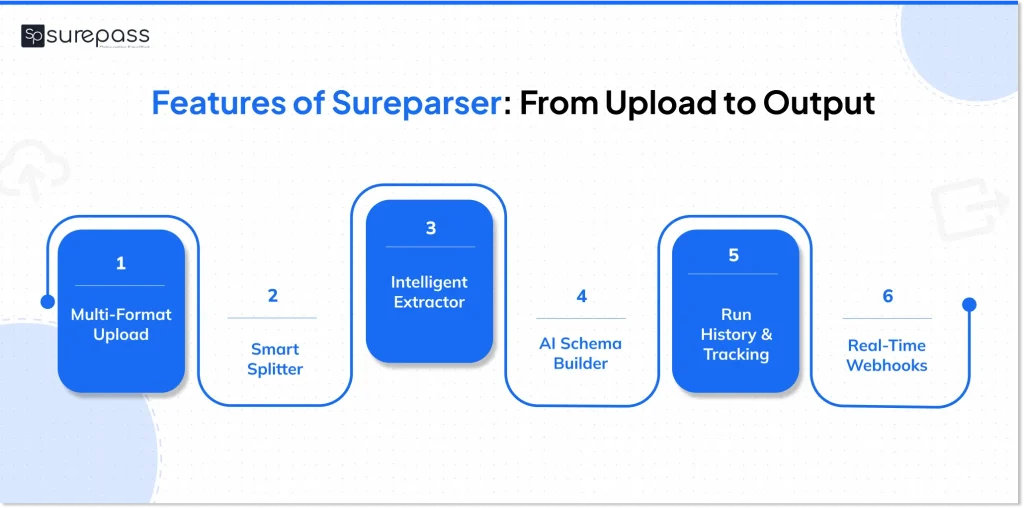
What are the Features of Sureparser?
It is designed to streamline:
- Document upload supporting PDF, PNG, JPG, and JPEG formats.
- Splitter for automatic identification and separation of mixed document types.
- Extractor for filling structured fields using manual or AI-generated schemas.
- AI Schema Builder for schema generation from a plain language prompt.
- Run History or tracking execution status, results, and errors on every document.
- External API validation for connecting to external systems during workflow execution.
- Webhooks for real-time delivery of structured output to downstream systems.
- Console and API access for both business users and developer teams.
Built-in Document Workflow Builder
Workflow builder with drag and drop interface for end-to-end pipeline automation. Manually uploading each document, selecting the splitter, and extracting data is time-consuming. That’s why Sureparser provides a workflow builder.
This system allows users to create their own workflows according to their use case. After that, the user just needs to upload the document, and the workflow builder will handle the rest automatically.
What are the key uses of the Sureparser?
These are the key applications where it streamlines the document parsing:
KYC Document Processing
It splits mixed KYC documents, extracts identity fields, and routes verified KYC data directly into onboarding systems.
Lending Firms
Lending institutions use this AI document parser platform for automating the loan document processing. It AI powered engine automatically splits documents, extracts income, and identifies details, and passes structured output to underwriting teams.
Insurance Companies
Insurance companies use this smart solution to separate mixed document files. It identifies and classifies document categories and automatically splits, extracts, and provides classified data into JSON and other formats.
Document Processing Before and After Sureparser
| Process Stage | Before Parser | After Sureparser |
| Mixed File Handling | Teams manually separate documents | Auto-splitting |
| Document Classification | Human identification of documents | AI-powered document classification |
| Data Extraction | Manual data entry | Automated field extraction |
| Data Accuracy | Low due to human error | High |
| Validation | Manual Verification | Automated API Based Validation |
| Workflow Execution | Multiple Disconnected Tools | Unified Workflow Automation |
| Processing Time | Large operations team | Minimal Manual Interaction |
| Tracking & Monitoring | No reliable solution | Complete run history and tracking |
Coclusion
The operational team can no longer rely on manual document processing. It consumes time and is prone to human error. Sureparser is developed to automate document processing. This smart document parser converts raw data into structured and validated data and streamlines operations.
FAQs
Ques: What is Sureparser?
Ans: It is an AI document parsing and workflow automatiozn platform. It converts unstructured data into structured data with smart features. It automates the entire document processing lifecycle with a workflow builder and history tracking.
Ques: How to use the document parser?
Ans: Users need to follow these steps to operate Sureparser:
- Upload document
- Create processor
- Define Schema
- Run Processor
- Get Data
Ques: What file formats does Sureparser support?
Ans: It supports various file formats, including:
Text-based PDFs, Scanned image PDFs, Tables and line items, Forms and applications, Invoices and bills, Identity documents, Bank statements, Contracts
JSON data embedded within PDFs, Mixed document bundles.
Ques: What are AI Schema Builders?
Ans: AI Schema Builder allows users to describe what data fields should be extracted. Like you can give prompt rest, work will be parsed automatically.
Ques: What is the best document parser?
Ans: We can only define the best document parser according to its features, such as bulk support, AI processing, workflow builder, TAT, API Validation, etc. Based on these criteria, Sureparser is considered the best document parser.
Ques: Can a PDF be parsed?
Ans: Yes, a PDF can be parsed through an automatic document parser like Sureparser within seconds.
Automate your KYC Process & Reduce Fraud!
We have helped 3000+ companies in reducing Fraud by 95%