To verify an Aadhaar online, go to myaadhaar.uidai.gov.in → Aadhaar Services → Verify Aadhaar, enter the 12-digit Aadhaar number and the captcha, then click Proceed and Verify Aadhaar. You get an instant result showing the Aadhaarx holder’s age band, gender, state, and the last 3 digits of the linked mobile.
All working methods in 2026:
- UIDAI portal — instant validity check, no login
- New Aadhaar app — UIDAI’s official app (mAadhaar is being discontinued — see below)
- Aadhaar QR scan — verify the signed QR on any Aadhaar/e-Aadhaar
- Offline e-KYC / OVSE — digitally signed data for formal KYC
- Aadhaar Verification API — for businesses doing this at scale
Methods to verify Aadhaar Online
We all know UIDAI, the issuer of the Aadhaar identity, as well as our primary source of Aadhaar verification. It offers an online website, app, and OVSE methods for instant online verification.
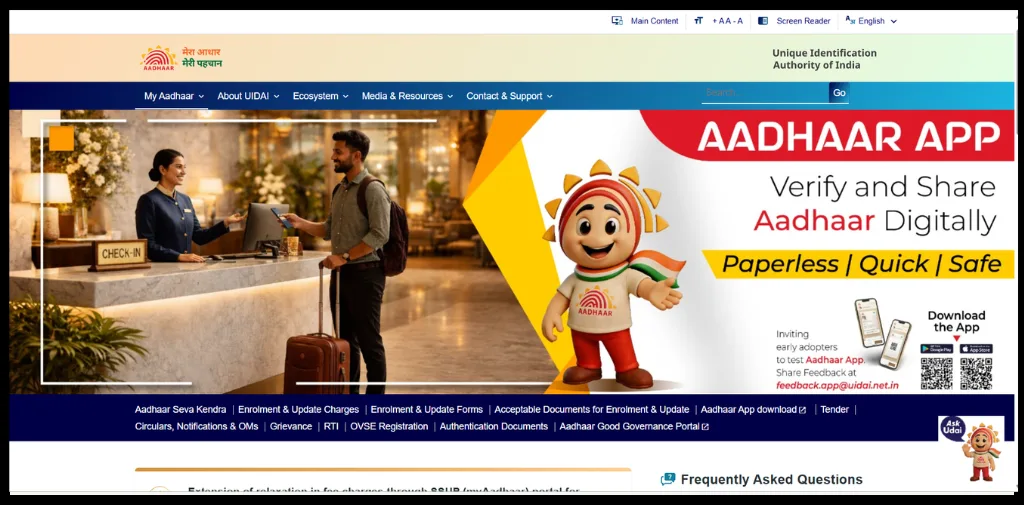
Verify Aadhaar online through the UIDAI Portal
The most reliable and secure source of aadhaar number online verification is UIDAI. Just follow this step-by-step tutorial:
- Go to myaadhaar.uidai.gov.in
- Under Aadhaar Services, click Verify Aadhaar Number
- Enter the 12-digit Aadhaar number and the security captcha
- Click Proceed and Verify Aadhaar
- You’ll get an “Aadhaar Verification Completed” message with the holder’s details.
What the result shows you:-
A successful check confirms the Aadhaar is real and active without exposing sensitive information:
- Age band (e.g. 20–30 years) — not the full DOB
- Gender
- State of registration
- Last 3 digits of the linked mobile
A fake or mistyped number returns “Aadhaar number does not exist.” Important: a successful check only confirms the number is active — it does not confirm the name matches the person in front of you. For that, you need a name match or OKYC (see below).
Automate your KYC Process & Reduce Fraud!
We have helped 3000+ companies in reducing Fraud by 95%
Verify Aadhaar through the Aadhaar QR Code
Both the physical Aadhaar card and the e-Card contain QR. You can scan and verify this code to verify Aadhaar in just seconds.
- Download Aadhaar QR Scanner App
- Open the App
- Select Scan QR Code
- Scan the QR Code Printed on the Aadhaar Card or e-Aadhaar
- The system verifies the digitally signed QR Code
- Aadhaar Details appear on the screen if the QR Code is genuine
Points to Know:
Only use the UIDAI Aadhaar QR scanner, properly check the source, be aware of fake Aadhaar Apps.
Verify Aadhaar Online with the New Aadhaar App
Here is the general verification process of using the New Aadhaar (Pehchaan App)
- Download the New Aadhaar App a into Mobile
- Complete Registration process
- Open the App and Select the Aadhaar Verification Option
- Scan the Aadhaar QR code
- Review the Aadhaar details displayed on the Screen
- Confirm the authenticity of the Aadhaar information
Warning: Only download Aadhaar-related apps if the developer name is listed as UIDAI.
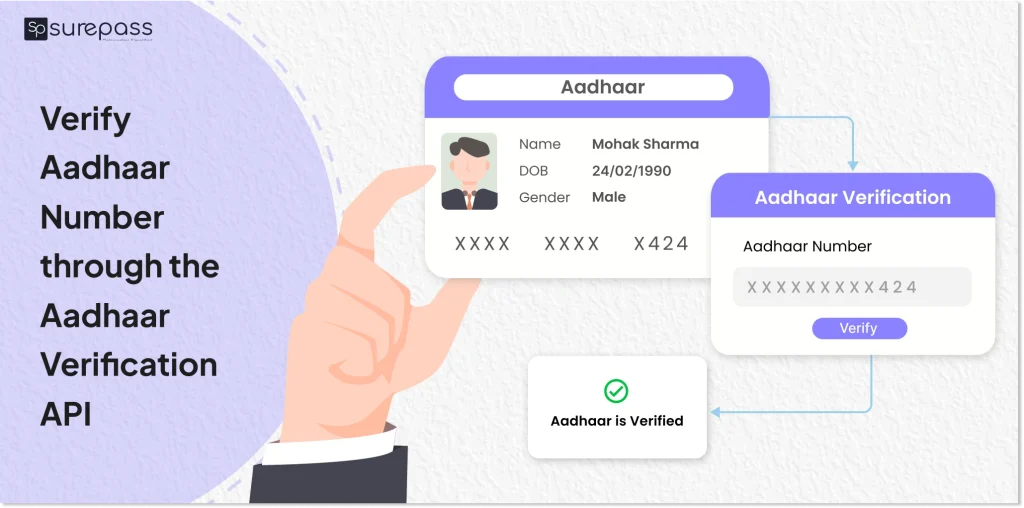
Verify Aadhaar Number through the Aadhaar Verification API (For Business)
Organizations can verify Aadhaar via the Aadhaar verification API. Here is a general process.
Input: Enter the Aadhaar number or image of Aadhaar to the API.
Output: Valid/Invalid Status (Valid if Aadhaar is genuine/ Invalid if Aadhaar is fake or not registered yet).
Verify Aadhaar Online through Aadhaar XML (Offline eKYC)
Businesses can also verify Aadhaar through offline paperless KYC through an XML file:
- Aadhaar holder downloads the Offline e-KYC XML file from the myAadhaar portal.
- Aadhaar holder shares the XML file with the share code
- The business extracts and validates the XML file.
- UIDAI’s digital signature is verified to confirm that the data has not been tampered with.
- The Aadhaar details are displayed for verification
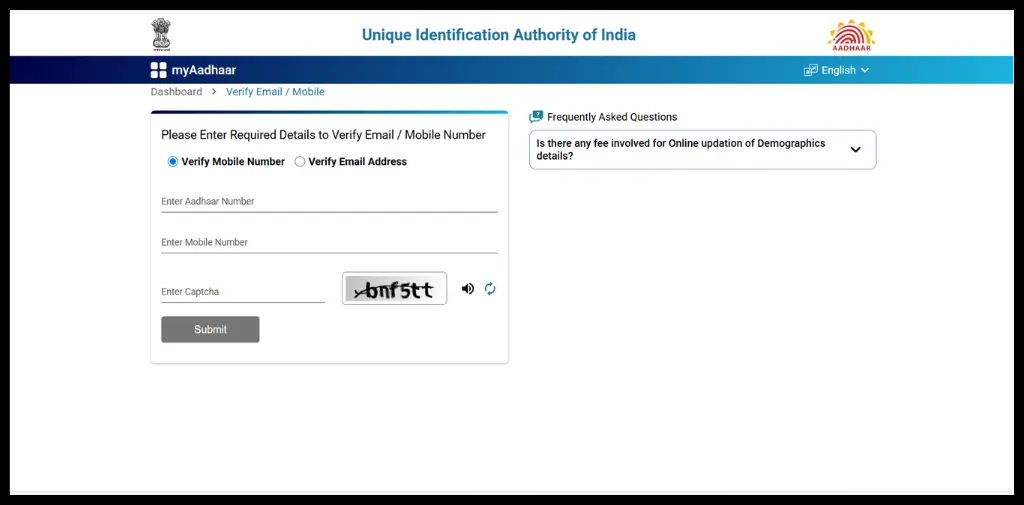
How to Verify Aadhaar Mobile Number?
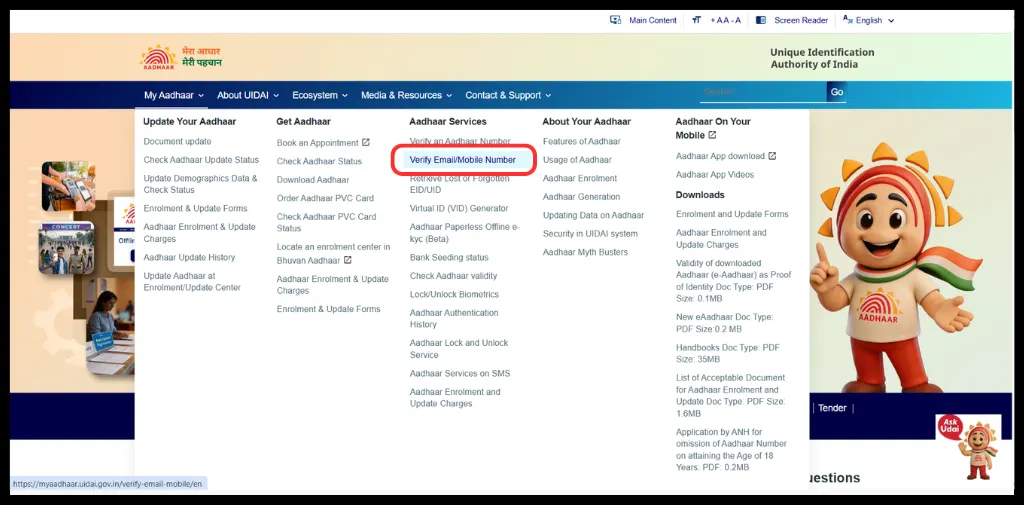
Verifying Aadhaar mobile number and email ID is quite simple; just follow the steps below:
- Go UIDAI Portal
- Under Aadhaar Service, click on Verify Email/Mobile.
- Enter Aadhaar Number, Mobile Number, and enter CAPTCHA
- Click on Submit.
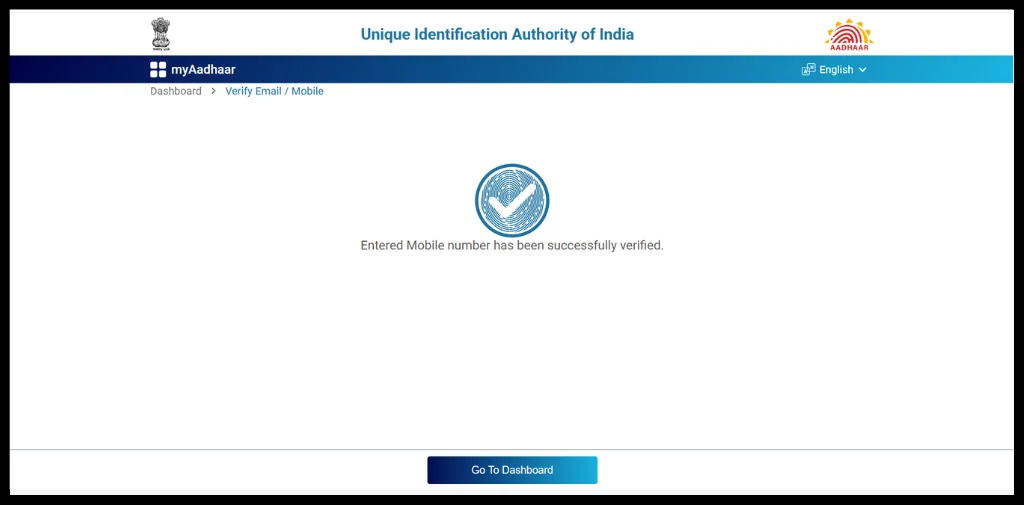
- Get the verified status.
What if Errors occur in Verification?
If you face any issues during Aadhaar verification, you can contact UIDAI via the following methods:
- Toll-Free Number: 1947
- Email: [email protected]
- Or chat with Udai (AI Chat Bot)
Common Aadhaar Verification Errors (and How to Fix Them)
Aadhaar number does not exist – It can occur with a single typo mistake. So, re-check all 12 digits, and confirm you’re not entering the Enrolment ID (EID) from the acknowledgement slip.
OTP not arriving — the mobile isn’t linked to that Aadhaar. Can’t be fixed online; the holder must visit an Aadhaar Enrolment Centre with biometric authentication.
Details look wrong (age band/gender) — number is valid but UIDAI data is outdated; update demographics via the My Aadhaar portal.
How to report if you find a fake Aadhaar?
If you find that someone is using a fake Aadhaar card:
- Report it to UIDAI through the helpline (1947), email, or grievance portal.
- File a complaint on the Cyber Crime Portal if the Aadhaar is being used for online fraud or identity theft.
- Contact your local police station and file an FIR if the fake Aadhaar has been used for criminal or fraudulent activities.
Conclusion
Aadhaar card verification is essential to prevent identity theft and associated fraud. You can follow the above step-by-step guide to verify Aadhaar online without any physical verification. In case you get a fake aadhaar card, immediately report to the UIDAI grievance portal. To protect your Aadhaar from fraudsters, always use a masked Aadhaar card or virtual ID.
FAQs
Ques: How can I verify Aadhaar number online?
Ans: You can verify an Aadhaar number online through the UIDAI Verify Aadhaar service, Aadhaar QR Code, mAadhaar App, Aadhaar (Pehchaan) App, Aadhaar Verification API, or Offline e-KYC XML verification.
Ques: Can I verify Aadhaar online without OTP?
Ans: Yes, you can verify Aadhaar without OTP through offline verification methods through the New Aadhaar App, QR scanning, and paperless eKYC.
Ques: Can I verify Someone’s Aadhaar?
Ans: Yes, you can verify someone’s Aadhaar card by scanning the QR present on the Physical Aadhaar Card and the Aadhaar Card. Just download UIDAI Aadhaar QR Scanner, scan the QR, and verify.
Ques: How can I report a fake Aadhaar Card?
Ans: You can report a fake Aadhaar card to the UIDAI grievance portal and report to the nearest police station.
Ques: What should I do if Aadhaar Verification Fails?
Ans: Recheck the Aadhaar number, QR Code, or verification details and try again. If the issue persists, contact UIDAI through the 1947 helpline or official support channels.
Automate your KYC Process & Reduce Fraud!
We have helped 3000+ companies in reducing Fraud by 95%