


Checking vehicle insurance is an essential process to get information about the renewal dates, verifying policy status, and checking insurer details. A vehicle insurance covers the losses from road accidents and third-party damage. This makes it important for each vehicle owner whether you have a personal or commercial vehicle to have active vehicle insurance. There are multiple ways to check vehicle insurance, both online and offline. In this blog, you will learn about the various online and offline methods of checking vehicle insurance.
How to Check Vehicle Insurance?
These are the methods you can follow for insurance checks online.
From Parivahan
- Visit the Parivahan Website.
- Click on “Informational Services”.
- Click on “Know Your Vehicles Details”, under the drop-down list.
- Login or create an account.
- Enter the registered mobile number and password.
- Enter the OTP and Click on Verify.
- Go to the RC/DL Search
- There are 2 methods. (Search by RC or Search by DL)
- Enter the Vehicle Number.
- Click on Search.
- Get the details to check.
Through mParivahan Mobile App
- Install the mParivahan Mobile App into your system.
- Login with a mobile number or create an account.
- Enter the vehicle registration number in the search box.
- Get vehicle insurance details.
Checking Vehicle Insurance for Multiple Vehicles
The methods above work well when you’re checking one vehicle. They’re less practical when you need to check many, since each lookup means logging in, entering an OTP, and searching one registration number at a time.
Lenders, fleet operators, used-vehicle dealers, and rental platforms usually face this problem. Their teams often need to confirm insurance status before approving a loan, listing a vehicle, or onboarding it to a fleet. For this, many use an insurance verification API, which returns details like the insurer, policy number, and validity period when given a vehicle registration number.
Some providers, including SurePass, offer this as an API. If you only need to check a vehicle occasionally, the government portals above are free and enough.
Insurance check online by Insurance Provider’s Website
You can check your car insurance from the insurance provider’s website. The methods of checking vehicle insurance will depend on the website interface. Usually, it is present in the customer dashboard section. You can get assistance from the customer support team or contact to agent.
Why Vehicle Insurance Status Check Online is Important?
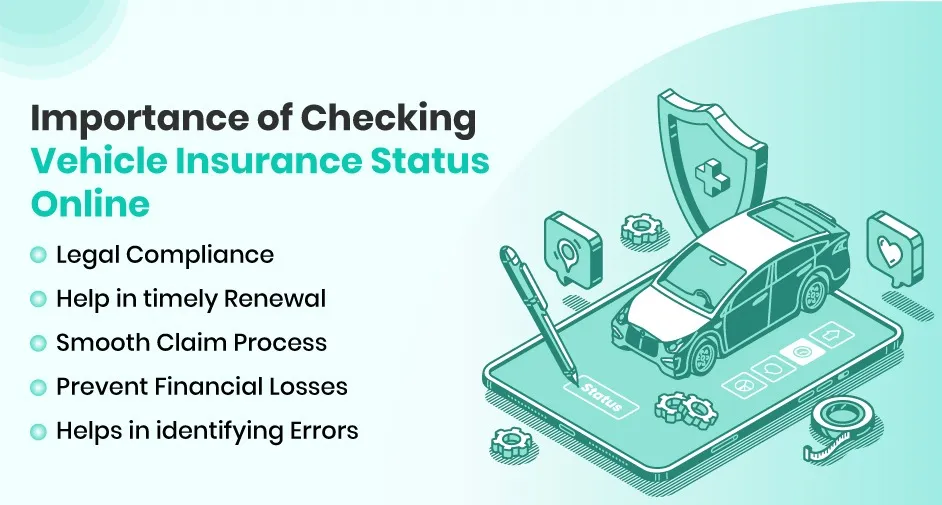
A vehicle Insurance check is essential for these reasons:
- Legal Compliance: Having vehicle insurance is mandatory in India. If you are driving an uninsured vehicle, you can face legal penalties and fines. That’s why regularly checking insurance status is important to avoid such issues.
- Help in Timely Renewal: Think if your insurance expires without your knowledge. Then you will lose coverage benefits, protection against theft, accidents, and third-party liabilities. Verifying your policy details ensures timely renewal.
- Smooth Claim Process: Unfortunately, if somehow you got involved in an accident. Up-to-date insurance details can speed up the claim process.
- Prevent Financial Losses: Without having active insurance, you may have to bear the entire cost of repairs or medical expenses in case of an accident. Here is an active vehicle insurance policy that helps you avoid unexpected financial burdens.
- Helps in Identifying Errors: Any error in insurance policy or fraudulent policies can cause issues during the claims. Regular verification helps you detect discrepancies and correct them in time.
Common Mistakes to Avoid While Checking Vehicle Insurance
Missing or Forgetting Insurance on Time
Sometimes people forget or miss the renewal deadline for vehicle insurance. This led to the expiry of the vehicle insurance. In this case, any accidental damage to the vehicle will not be covered.
Tip: You can avoid this by setting reminders or opt for auto-renewal options.
Not Checking Policy Terms Before Buying
Many buyers buy policies without thoroughly reviewing the policy details. But in some cases during the time of claim, they get to know coverage is not available for own damage, natural disasters, zero depreciation, mechanical failures, etc.
Tip: Always read the policy document and other documents whenever you buy anything. It will help in the detection of the hidden terms.
Conclusion
According to government regulations, all new cars in India must have third-party insurance. Third-party coverage is required whether the cars are for light or heavy vehicles or personal or business usage. Purchasing insurance coverage for a vehicle and renewing it when it expires are requirements; failure to do so carries penalties. You can check vehicle insurance from government portals like Parivahan, mParivahan, RTO, or advanced solutions like APIs. You can also check the vehicle insurance offline by visiting the RTO office or calling your insurer provider.
Regularly checking your vehicle insurance helps prevent financial loss due to vehicle damage, the claim process, and updating information in case of errors.
FAQs
Ques: How can I check the Vehicle Insurance status?
Ans: You can check vehicle insurance from Parivahan and mParivahan App.
Ques: How to check 2-wheeler vehicle insurance?
Ans: Visit the Paravian website > click on informational services > click on know your vehicle details > enter the asked credentials > get details to check.
Ques: What information is required to check vehicle insurance online?
Ans: The details required depends on the platform you want to use:
- Vehicle Registration Number is needed for government sites.
- Chassis Number and Engine Number.
- Registered Mobile Number (to receive OTP)
Ques: What is the penalty for driving without insurance in India?
Ans: According to the Motor Vehicles Act, the first offence can attract a fine of up to ₹2,000 and/or up to 3 months’ imprisonment. Repeat offences can mean a fine of up to ₹4,000 and/or imprisonment.
Ques: Should I check the insurance before buying a second-hand vehicle?
Ans: Yes, you should always check the insurance of a second-hand vehicle before buying it.
Ques: Why is my insurance not showing or outdated on the government portal?
Ans: It is not showing or appear outdated on the Parivahan/VAHAN Portal due to data-sync delays, missing registration info, or policy type limitations.
Automate your KYC Process & reduce Fraud!
We have helped 200+ companies in reducing Fraud by 95%