




The EPFO UAN (Universal Account Number) makes it easier to manage your retirement savings. The UAN is a single point of contact for employees to consolidate their multiple PF accounts throughout their careers. This number allows employees to easily access their PF data, manage, and monitor it. It eliminates the need for employees to be contacted by employers to receive updates or transfers. It promotes transparency and self-service. It is used to download passbooks, update KYC, and track employer contributions.
What is UAN?
UAN stands for universal account number. It is a 12-digit number given to employees who are part of the Employees Provident Fund (EPF) scheme in India. The EPFO provides this number. It is a single and permanent identifier for an individual’s EPF accounts. It is essential to activate the PF account.
UAN Activation Process Change
Previously, the UAN number could be activated through the EPFO member portal. But currently, you can no longer activate UAN through the EPFO Portal. Now, the EPF member can activate or generate the UAN number only with the UMANG App after completing the facial authentication through the Aadhaar FaceRD App.
How to Activate UAN Number through UMANG App?
You need to download the Aadhaar FaceRD App to complete the activation process:
- Search for EPFO.
- Click on UAN Activation
- Enter UAN Number, Aadhaar Number, and Aadhaar registered mobile number.
- Click on consent, send OTP, and verify with OTP.
- Click on Submit
- Complete the face authentication process
- Verify details displayed on screen and click on Submit
- You will receive a message that the default password has been sent to your mobile number.
Automate your KYC Process & reduce Fraud!
We have helped 200+ companies in reducing Fraud by 95%
How to Check UAN Activation Status?
After activating your UAN, you should check the status:
- Go to EPFO Member Portal
- Sign in with login ID and password
- Successful sign-in confirms that your UAN has been activated
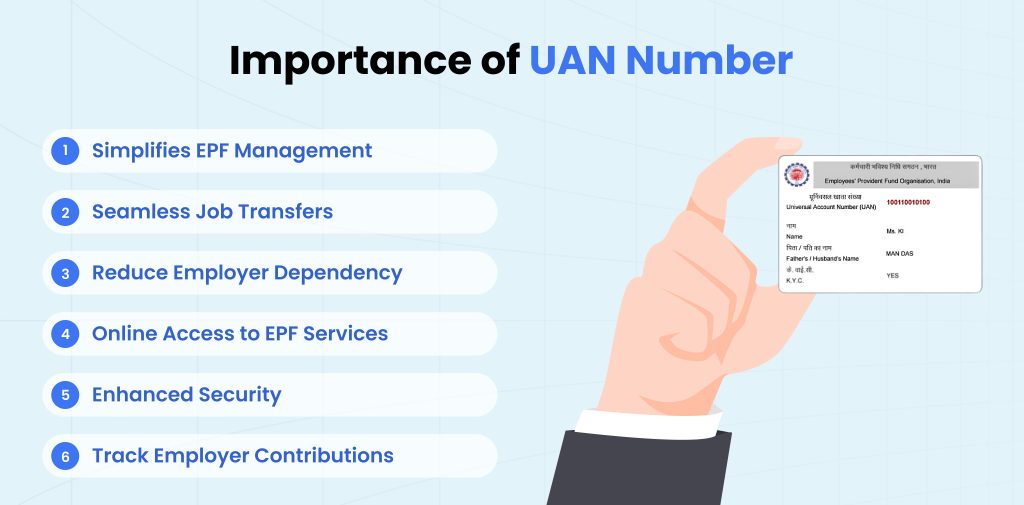
Importance of UAN Number
Here’s why the UAN number is important for a PF member:
- Simplifies EPF Management: UAN consolidates all EPF accounts under one number, which enables employees to manage their funds easily.
- Seamless Job Transfers: Employees don’t need to transfer EPF balances manually when changing jobs. It ensures automatic transfer of funds to the new account.
- Reduce Employer Dependency: UAN allows employees to access their EPF details and services directly.
- Online Access to EPF Services: Employees can access various online services, like viewing passbooks, downloading UAN cards, and updating KYC details.
- Enhanced Security: A KYC-verified UAN linked to Aadhaar confirms secure access to EPF accounts and transactions.
- Track Employer Contributions: Employers can use their UAN to verify if their employer is making timely PF contributions.
How to fix issues if UAN Activation Not Working?
You may face some issues in activating your EPFO member:
- Verify Aadhaar Details: Check whether you have entered the correct name, DOB, and other details. Any mismatch can cause an activation error.
- Complete KYC: Without completing KYC from the member portal, you cannot activate UAN.
- Update the UMANG and Aadhaar FaceRD Apps: Always use updated apps so you can access services without interruption or errors
- Check Internet Connection: A stable internet connection is required to complete the verification process online using App.
How to Reset Your UAN Password?
Follow this step by step guide to reset your password.
- Visit the UAN Portal.
- Click on the “Forgot Password” option.
- Enter UAN, Captcha, and click on Submit.
- Enter the required details such as name, gender, and DOB.
- Fill in the Aadhaar Number, Captcha, and click verify.
- Enter the mobile number and click on “Get OTP”.
- Enter the OTP received on the registered mobile number and click verify.
- Change your password by entering it twice.
- Click submit to update the password on the EPFO portal.
What to do next after you Activate UAN Number?
Update KYC (Know Your Customer)
- Go to the Manage tab, then KYC.
- Link your Aadhaar, PAN, Bank Account, and other documents,
- It helps with withdrawals and claim processing.
How to fix issues if UAN Activation Not Working?
You may face some issues in activating your EPFO member:
- Verify Aadhaar Details: Check whether you have entered the correct name, DOB, and other details. Any mismatch can cause an activation error.
- Complete KYC: Without completing KYC from the member portal, you cannot activate UAN.
- Update the UMANG and Aadhaar FaceRD Apps: Always use updated apps so you can access services without interruption or errors
- Check Internet Connection: A stable internet connection is required to complete the verification process online using App.
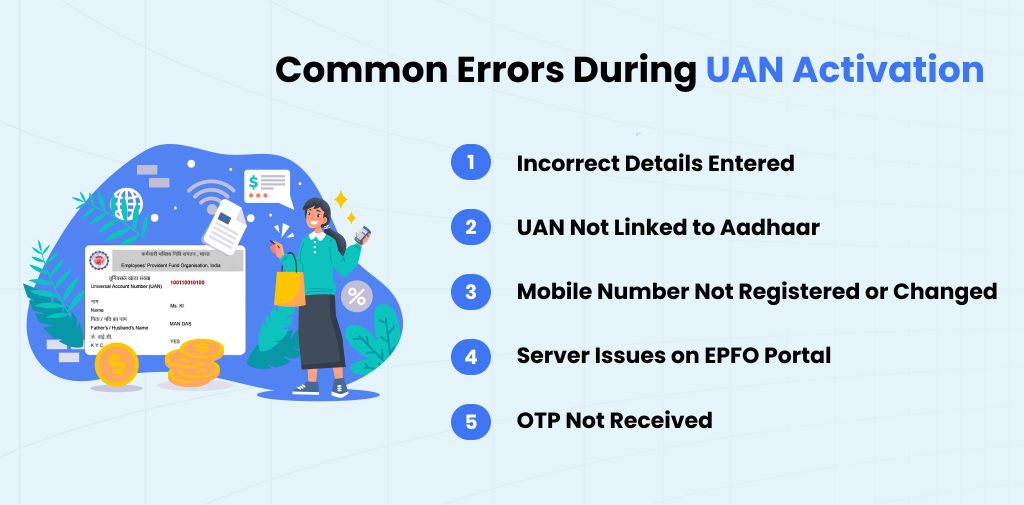
Common Errors During UAN Activation
- Incorrect Details Entered
Make sure that the name, date of birth, and mobile number match exactly with the records in EPFO. Any mismatch or discrepancy can cause OTP or activation failure. So, avoid these mistakes when you activate your UAN Number. You can instantly check the link status with the Mobile UAN Link Check API.
- UAN Not Linked to Aadhaar
If your UAN is not linked to your Aadhaar number, activation might not complete. You need to update your KYC with your employer or via the EPFO portal. Also UAN activation link mobile number should be correct.
- Mobile Number Not Registered or Changed
If your mobile number is not updated in the EPF records, you will not receive the OTP. In such cases, contact your employer or raise a request via the EPFO grievance portal.
- Server Issues on EPFO Portal
Sometimes the EPFO websites face downtime or slow response. You can try again during non-peak hours or use the Umang App as an alternative.
- OTP Not Received
Check whether you have good network coverage and your mobile number is not on DND (Do Not Disturb).
EPFO Helpdesk Support
You can contact the EPFO helpdesk if you face an issue even after following all the above step:
- Call EPFO Helpdesk: 1800-118-005 or 14470.
- Visit EPFO Office: Go to the nearest EPFO office in your locality.
- Email at: [email protected]
Conclusion
UAN activation is essential to manage the EPF account. It provides easy access to retirement savings. This number of employees can independently manage their EPF without depending on employers for transfers, balance checks, or KYC updates. The mobile-based activation process is simple and secure. You can follow the above step-by-step guide to activate UAN Number. After activating your UAN number, you can log in to the EPFO member portal, check your passbook, update your KYC details, track contributions, and file claims.
FAQs
Ques: How can I activate UAN Number?
Ans: Open the UAN App > Search EPFO > select UAN activation > enter details and complete the facial verification process .
Ques: Can I activate UAN no in Umang App?
Ans: Yes, you can activate your UAN number in the Umang App through face authentication.
Ques: How long will it take to activate UAN?
Ans: UAN activation is an instant process, but it may take 24 hours in some cases.
Ques: Can we create a new UAN number if it already exists?
Ans: No, you can’t create a new UAN number.
Ques: Can I withdraw money from an inactive PF account?
Ans: Yes, you can withdraw money from an inactive PF account, but KYC is required, which you need to check on the official portal.
Ques: Can I activate UAN by SMS?
Ans: No, you can not activate UAN through text message. You need to complete the authentication process.
Automate your KYC Process & reduce Fraud!
We have helped 200+ companies in reducing Fraud by 95%