


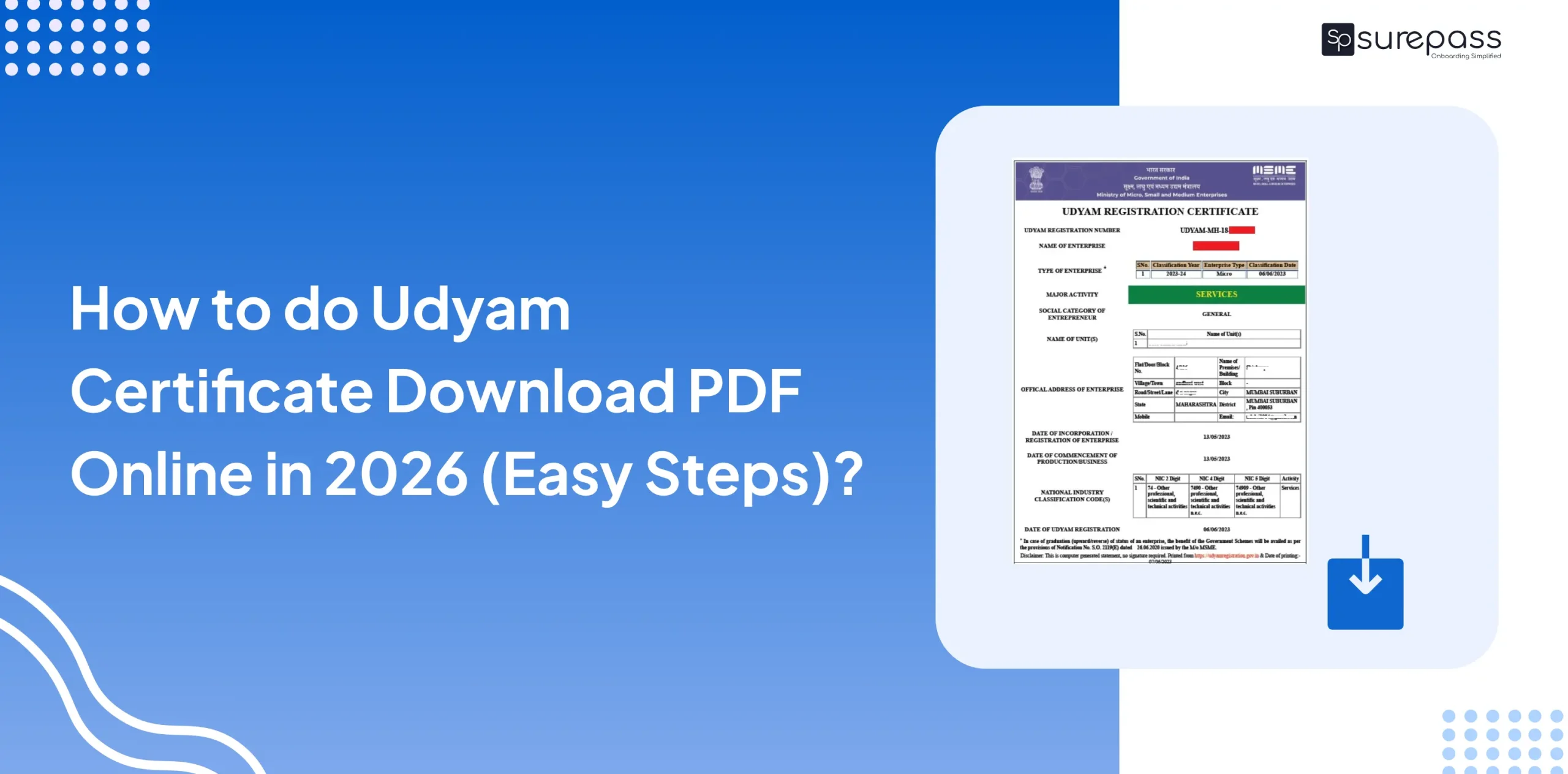
If you are a small business owner in India, once you register your business on the Udyam portal, you get a Udyam certificate. With this certificate, businesses can access services such as opening a bank account, becoming eligible for government subsidies, and enjoying other benefits. However, registration alone is not enough; you need the certificate to access government scheme benefits.
In this guide, we will learn how to download the Udyam Certificate PDF step-by-step so you can get your certificate easily.
Details you need to download the Udyam certificate
Before downloading the Udyam certificate, make sure you have these things:
- URN Number.
- Registered Mobile Number.
Download the Udyam Certificate from the Udyam Registration Portal
To download the Udyam certificate, you must use the official government website to get a valid document. Follow these simple steps:
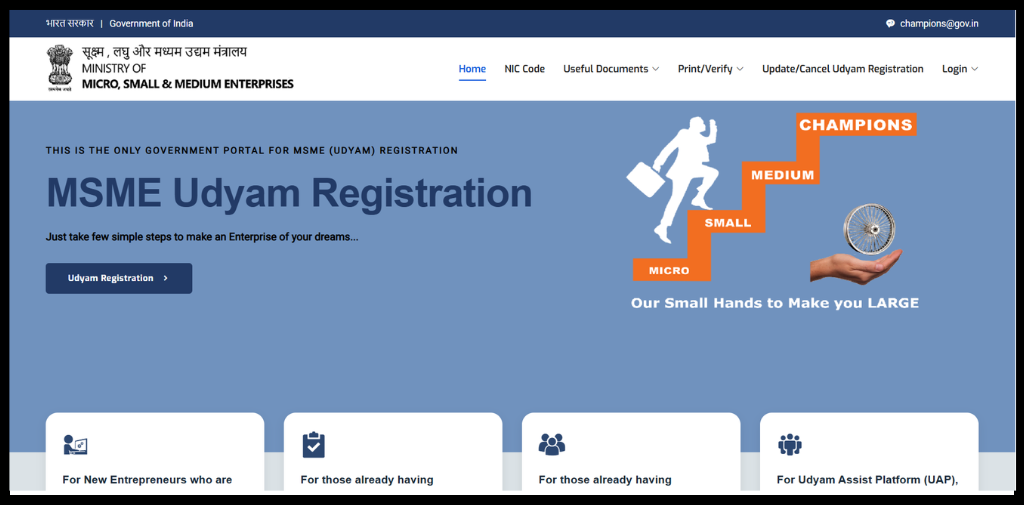
- Go to Udyam registration portal.
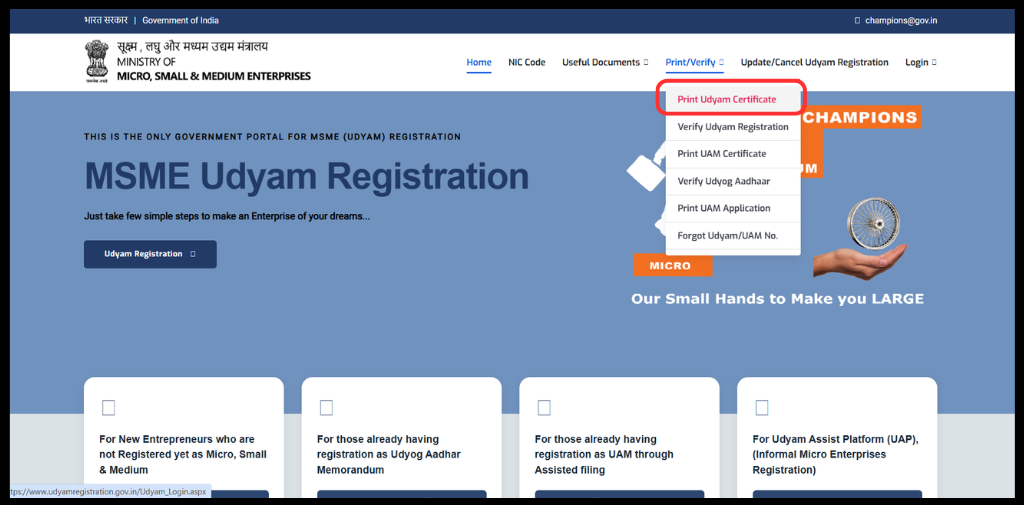
- Then, Go to the Print/Verify. Click on “Print Udyam Certificate”.
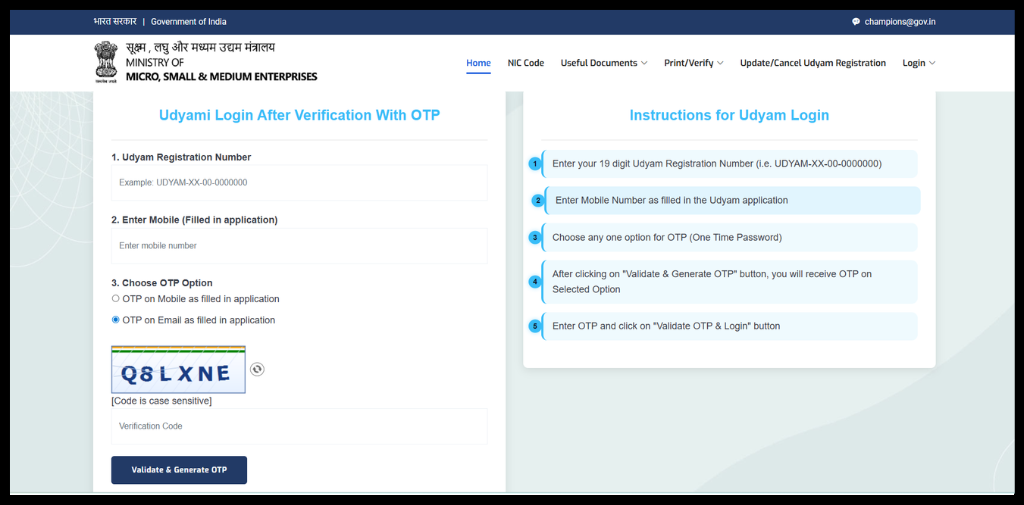
- Log in with your Udyam number and phone number.
- Select whether you want the OTP on your mobile or your email.
- Then Click on Validate & Generate OTP.
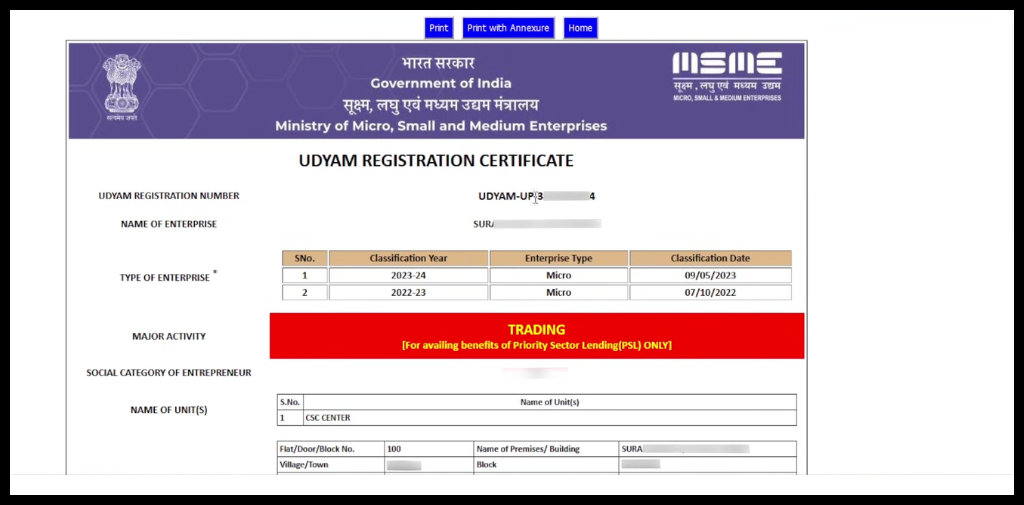
- Get Udyam Registration Details. Your certificate will show up on the screen.
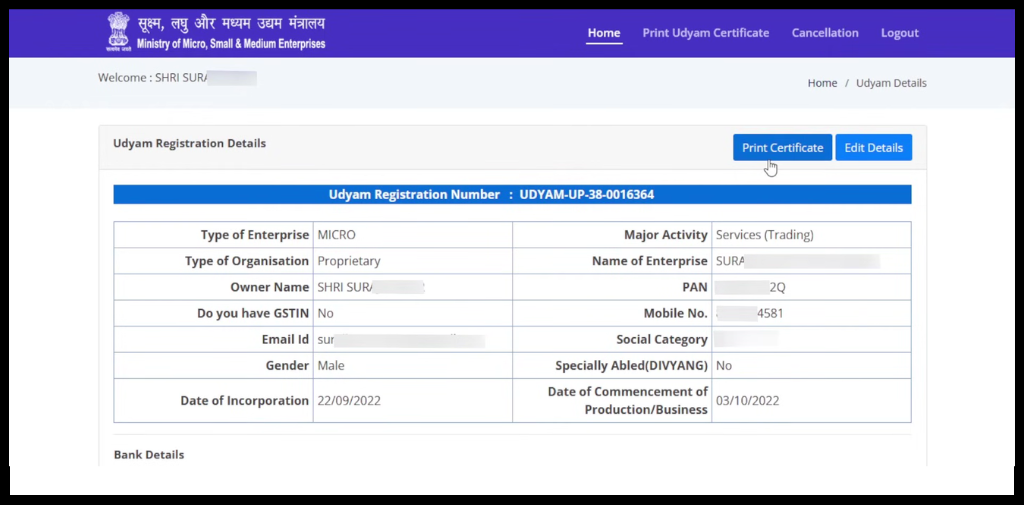
- Click the “Print” button to save your certificate in PDF format.
What should I do if I forgot my URN?
If you don’t remember your registration number, don’t worry. You can still recover it easily:
- Go to the “Print/Verify” menu on the official portal.
- Click on the option “Forgot Udyam/UAM No.”
- Select “Udyam Registration” as the registration type.
- Choose your OTP delivery method (Mobile or Email).
- Enter your registered mobile number or email ID.
- Once you verify the OTP, your Udyam number will be sent to you.
- Proceed with Udyam Certificate Download PDF as directed above.
Automate your KYC Process & Reduce Fraud!
We have helped 3000+ companies in reducing Fraud by 95%
Why is it important to download the Udyam Certificate?
A business needs to download the Udyam certificate for the following reasons:
- Apply for Credit: Lenders use it to confirm MSME status, including for schemes for MSME borrowers.
- Onboard with Large Buyers: Corporate procurement processes often ask for proof of MSE status when applying for MSE-specific benefits.
- Claim Delayed Payments: MSME status protects under the MSMED Act on payment timelines.
Common Issues In Udyam Certificate Download And How to Fix Them
Sometimes technical problems can get in the way. Here are the most common issues and how you can fix them:
- OTP Issues: This is often due to network delays, DND settings, or the number being inactive.
- Fix: Wait for 2 minutes and click “Resend.” If mobile SMS fails, try the Email option instead.
- Incorrect Details: A single wrong digit in your 19-character URN will fail the login.
- Fix: Double-check your URN format (e.g., UDYAM-XX-00-0000000). Use the “Forgot UAM” option if you are unsure.
- Website Loading Issues: The government portal can be slow during busy hours.
- Fix: Please try clearing the browser cache or using the portal during non-business hours.
If you face an issue in the MSME Certificate Download that hasn’t been resolved yet, please reach out to the MSME helpdesk:
- Email: [email protected]
- WhatsApp: +91 8308809334, Monday to Friday, 10:00 AM to 6:00 PM
- Address: Office of DCMSME, Ministry of MSME, Kartavya Bhawan 3, New Delhi
Download at Scale for Business
If you are a business onboarding dozens of MSMEs and want to download certificate for various processes. Downloading certificates one by one is time-consuming. A solution like the Udyam Certificate Download API helps businesses download a large number of certificates with automated workflows and less need for manual intervention.
Conclusion
In conclusion, getting your MSME certificate is a quick and simple process. By following the steps above, you can complete your Udyam Certificate Download PDF in less than five minutes at no cost.
Since this document is essential for banking, loans, and government schemes, it is a good idea to keep a digital copy stored safely in your email or Google Drive. This ensures that you are always ready whenever a bank or government office requires proof of your business registration.
FAQs
Ques: Is Udyam certificate download free of cost?
Ans: Yes, downloading the Udyam certificate PDF is a free of cost that can be done through the official Udyam portal.
Ques: What should I do if my Udyam certificate shows incorrect business information?
Ans: You can update the details through the update/cancel from the udyam registration portal. Login, verify with OTP, and edit the details.
Ques: Where can I get official help for Udyam Registration-related problems?
Ans: You can contact the helpdesk via official channels:
Email: [email protected]
Call or WhatsApp: +91 8308809334
Ques: Can I download Udyam Certificate PDF Online?
Ans: Yes, businesses can download the Udyam certificate PDF from the official Udyam registration portal.
Ques: Is the Udyam certificate valid for a lifetime, or does it need renewal?
Yes, Udyam registration is permanent and does not require renewal. However, MSMEs should update details like turnover, investment, or employee count or the portal each year.
Automate your KYC Process & Reduce Fraud!
We have helped 3000+ companies in reducing Fraud by 95%