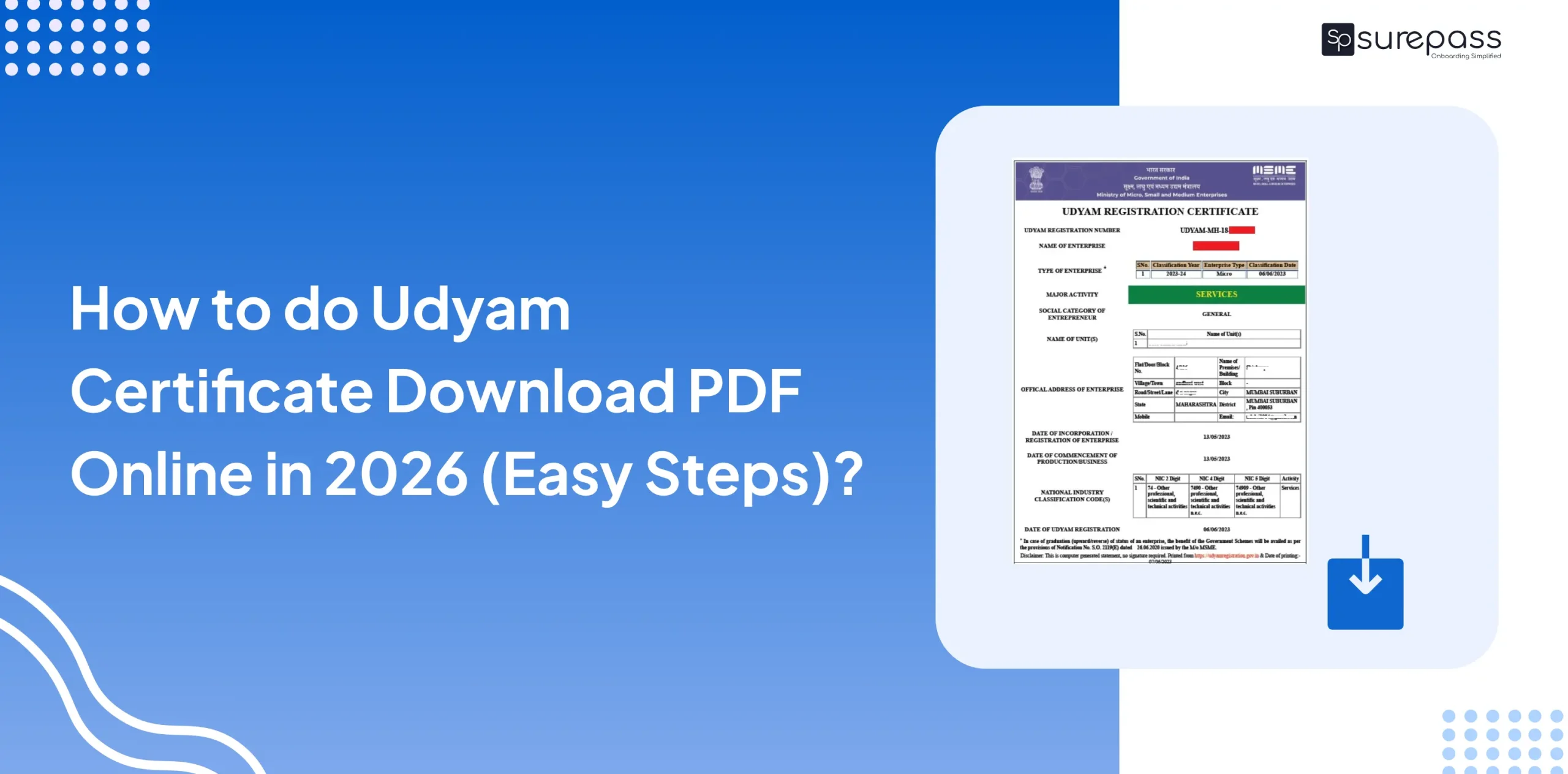
If you are a small business owner in India, once you register your business on the Udyam portal, you get a Udyam certificate. With this certificate, businesses can now access services such as opening a bank account for the business, be eligible for government subsidies, and other benefits. However, simply registering a business is not enough, and you need a certificate to access the government scheme benefits.
In this guide, we will know how to download udyam certificate PDF step-by-step so you can get your certificate easily.
Details you need to download the Udyam certificate
Before doing the Udyam certificate download, make sure you have these things:
- URN Number.
- Registered Mobile Number.
Download the Udyam Certificate from the Udyam Registration Portal
Udyam certificate download PDF with Udyam number
To download the Udyam certificate, you must use the official government website. to get a valid document. Follow these simple steps:
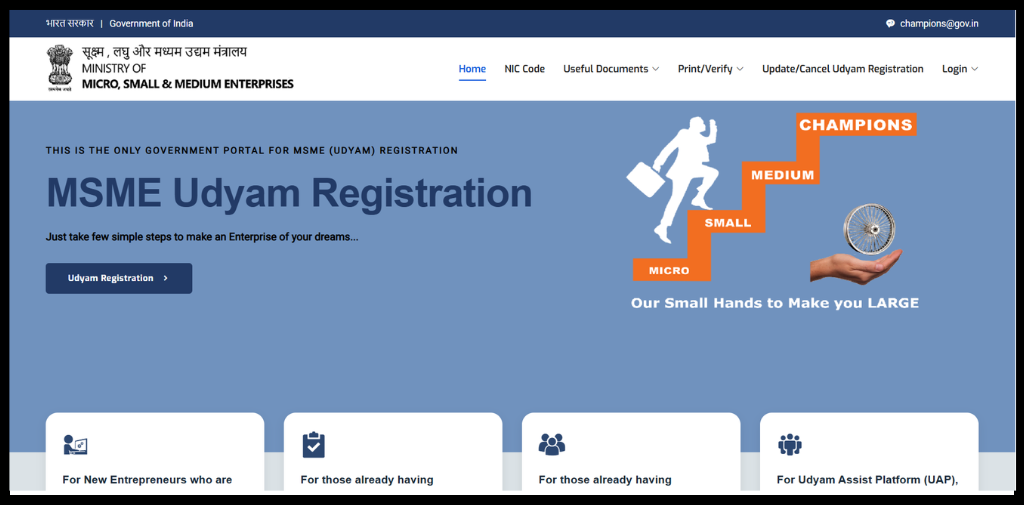
- Go to Udyam registration portal.
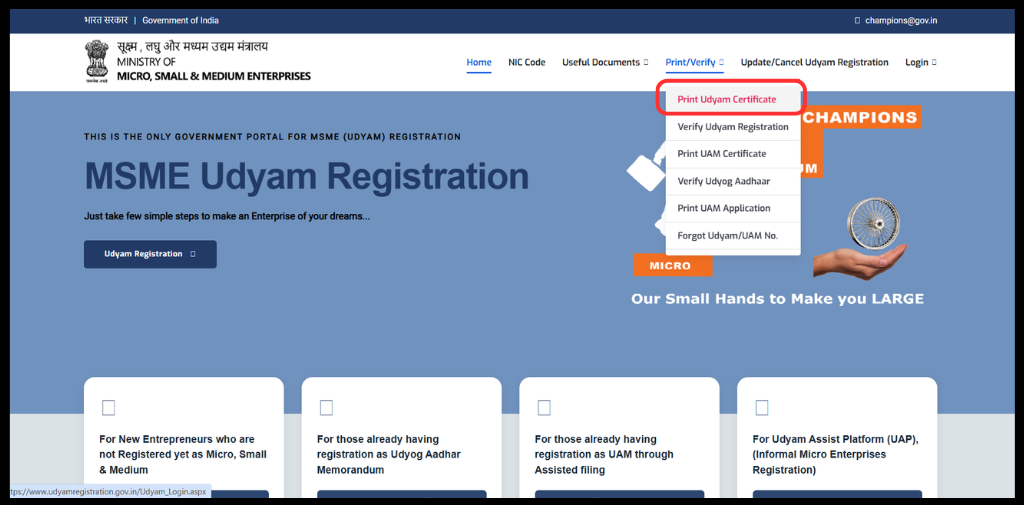
- Then, Go to the Print/Verify. Click on “Print Udyam Certificate”.
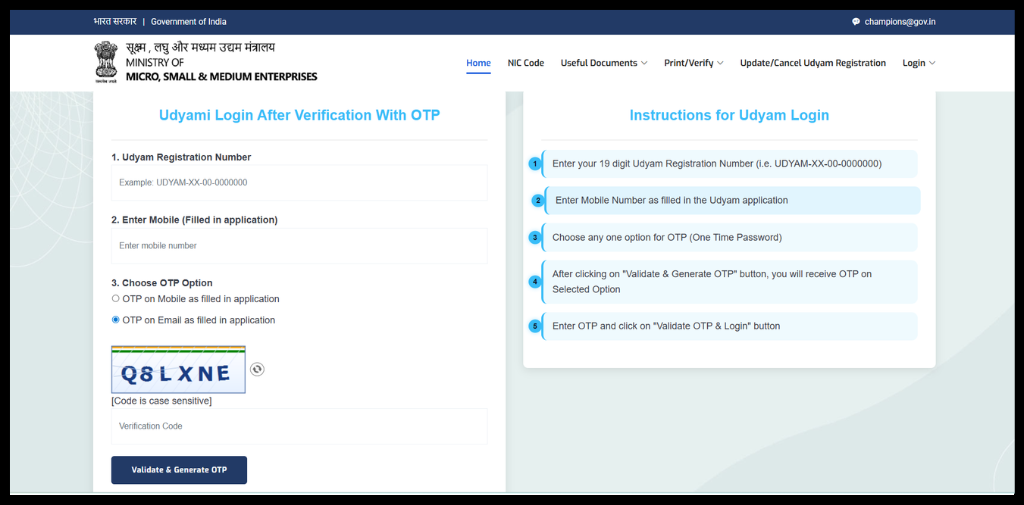
- Log in with your Udyam number and phone number.
- Select whether you want the OTP on your mobile or your email.
- Then Click on Validate & Generate OTP.
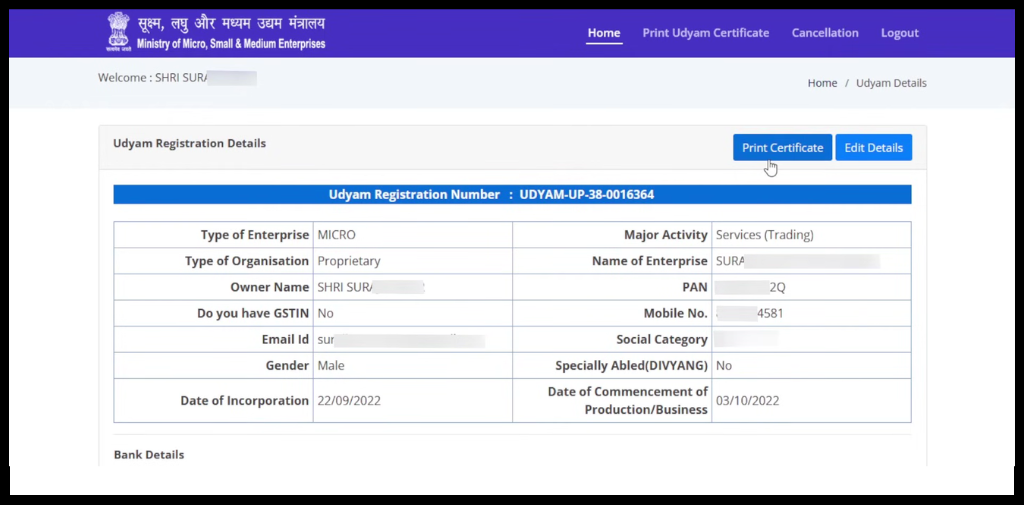
- Get Udyam Registration Details. Your certificate will show up on the screen.
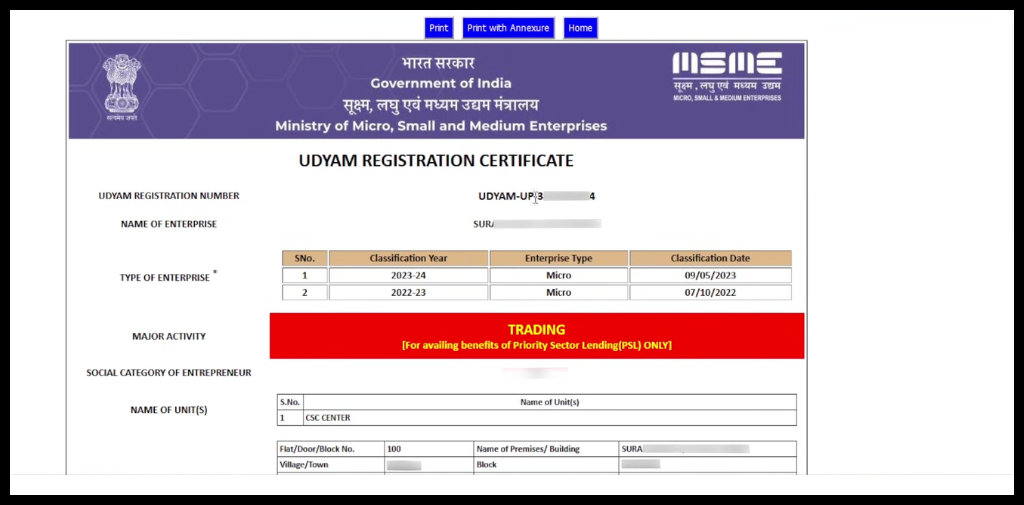
- Click the “Print” button to save your certificate in PDF format.
What to do if I forgot my URN number?
If you don’t remember your registration number, don’t worry. You can still recover it easily:
- Go to the “Print/Verify” menu on the official portal.
- Click on the option “Forgot Udyam/UAM No.”
- Select “Udyam Registration” as the registration type.
- Choose your OTP delivery method (Mobile or Email).
- Enter your registered mobile number or email ID.
- Once you verify the OTP, your Udyam number will be sent to you.
- Proceed with Udyam Certificate Download PDF as directed above.
Automate your KYC Process & Reduce Fraud!
We have helped 3000+ companies in reducing Fraud by 95%
Why is it important to download the MSME Udyam Certificate?
Having your MSME Udyam certificate download ready as a PDF is helpful for:
- Opening a business bank account.
- Applying for government tenders.
- Getting lower interest rates on business loans.
- Availing subsidies on electricity bills or trademarks.
Common Issues In Udyam Certificate Download And How to Fix Them
Sometimes technical problems can get in the way. Here are the most common issues and how you can fix them:
- OTP Issues: This is often due to network delays, DND settings, or the number being inactive.
- Fix: Wait for 2 minutes and click “Resend.” If mobile SMS fails, try the Email option instead.
- Incorrect Details: A single wrong digit in your 19-character URN will fail the login.
- Fix: Double-check your URN format (e.g., UDYAM-XX-00-0000000). Use the “Forgot UAM” option if you are unsure.
- Website Loading Issues: The government portal can be slow during busy hours.
- Fix: Please try clearing the browser cache or using the portal during non-business hours.
If you face an issue in the MSME Certificate Download that hasn’t been resolved yet, please reach out to the MSME helpdesk:
- Email Support: You can email your queries to [email protected].
- Phone Support: You can contact the MSME Complaint Help Desk at 011-23061574.
- Local Office: You can also visit the nearest MSME-Development Institute (MSME-DI) in your city for face-to-face help.
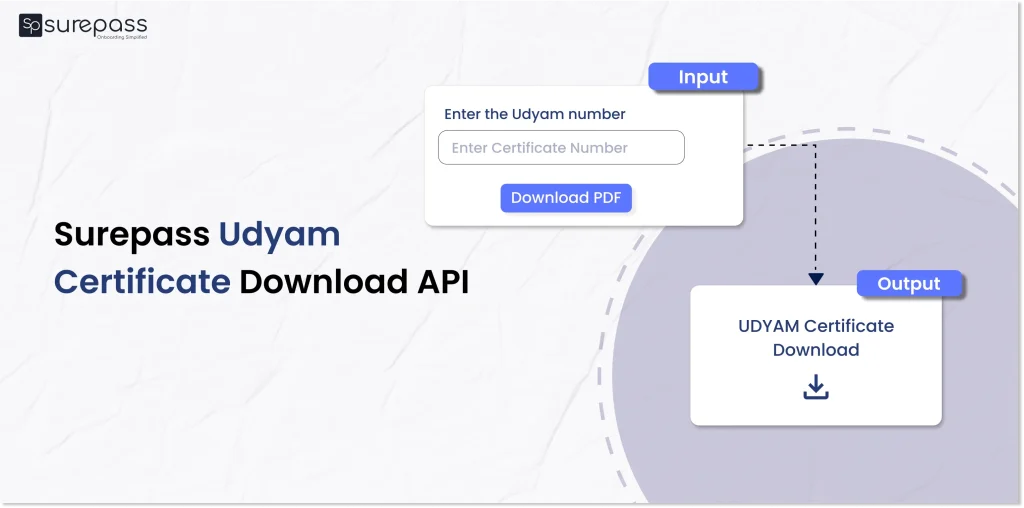
Download with Surepass Udyam Certificate Download API
Surepass Udyam Certificate Download API instantly provides the Udyam Certificate PDF. You just need to follow the steps below to download the PDF.
- Visit Surepass Udyam Certificate Download API
- Login with the required credentials
- Enter the certificate number in the API
- Click on Udyam Certificate Download PDF.
- Get the certificate PDF.
Businesses can use this API for the MSME verification process during the onboarding process. It eliminates the manual verification steps and streamlines the verification process.
Conclusion
In conclusion, getting your MSME certificate is a quick and simple process. By following the steps above, you can complete your Udyam Certificate Download PDF in less than five minutes at no cost.
Since this document is essential for banking, loans, and government schemes, it is a good idea to keep a digital copy stored safely in your email or Google Drive. This ensures that you are always ready whenever a bank or government office requires proof of your business registration.
FAQs
Ques: Is Udyam certificate download free of cost?
Ans: Yes, the Udyam certificate download PDF is a free of cost that can be done through the official Udyam portal.
Ques: How do I download my Udyam certificate?
Ans; You can download the Udyam Certificate by following the steps given below:
- Go to Udyam registration portal
- Then, Go to the Print/Verify. Click on “Print Udyam Certificate”.
- Log in with your UAM number and phone number.
- Select whether you want the OTP on your mobile or your email.
- Click on “Submit”.
- Your certificate will show up on the screen. Click the “Print” button to save your certificate in PDF format.
Ques: What is the Udyam registration certificate PDF?
Ans: Udyam Registration Certificate PDF is an official document issued by the Ministry of MSME by the Indian government that recognises a business as a micro, small or medium enterprise.
Ques: How to download the Udyam Certificate by mobile number?
Ans: You can download the Udyam Certificate using your mobile number by following the steps given below:
- Go to Udyam registration portal
- Then, Go to the Print/Verify. Click on “Print Udyam Certificate”.
- Log in with your registered mobile number.
- Select whether you want the OTP on your mobile or your email.
- Click on “Submit”.
Automate your KYC Process & Reduce Fraud!
We have helped 3000+ companies in reducing Fraud by 95%