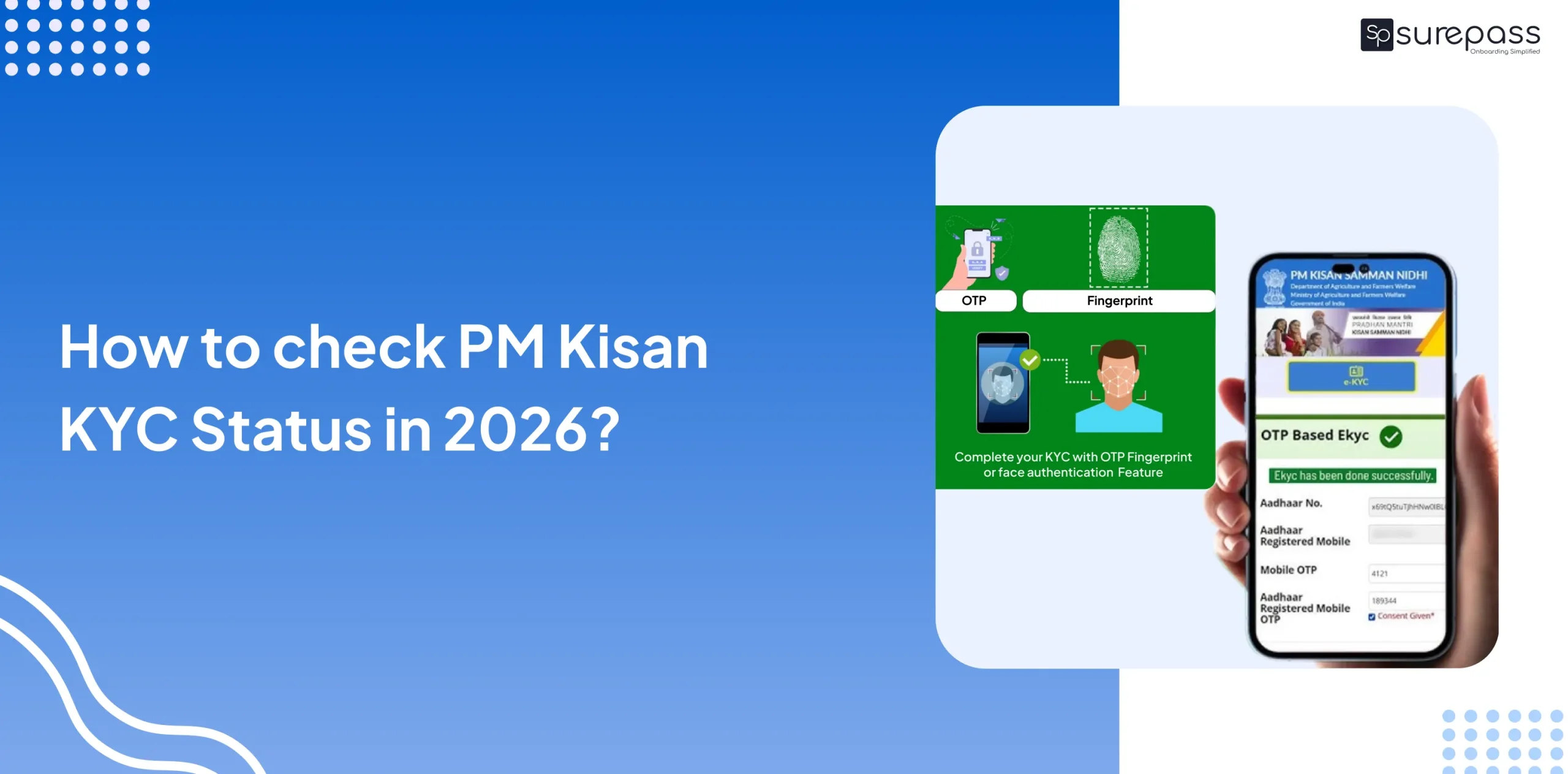
If you have applied for the PM Kisan Samman Nidhi Yojana, you should check your PM Kisan KYC beneficiary status to receive the installment on time. Here in this blog, you will learn how to check PM Kisan KYC Status easily from the PM Kisan Portal and PM Kisan GoI mobile app.
What is PM Kisan KYC and Why Is It Important?
PM Kisan KYC is a mandatory verification process that every farmer registered under the PM Kisan Scheme must complete. Through the PM Kisan KYC, a farmer’s Aadhaar and bank account details are verified and linked with their PM Kisan Account. The main purpose of KYC is to ensure that only genuine and eligible farmers can get benefits. It helps prevent fraud and removes the middleman from the process.
How to Check PM Kisan KYC Status Online?
Here is how you can easily check the PM Kisan KYC Status Online:
- Go to the PM Kisan Portal.
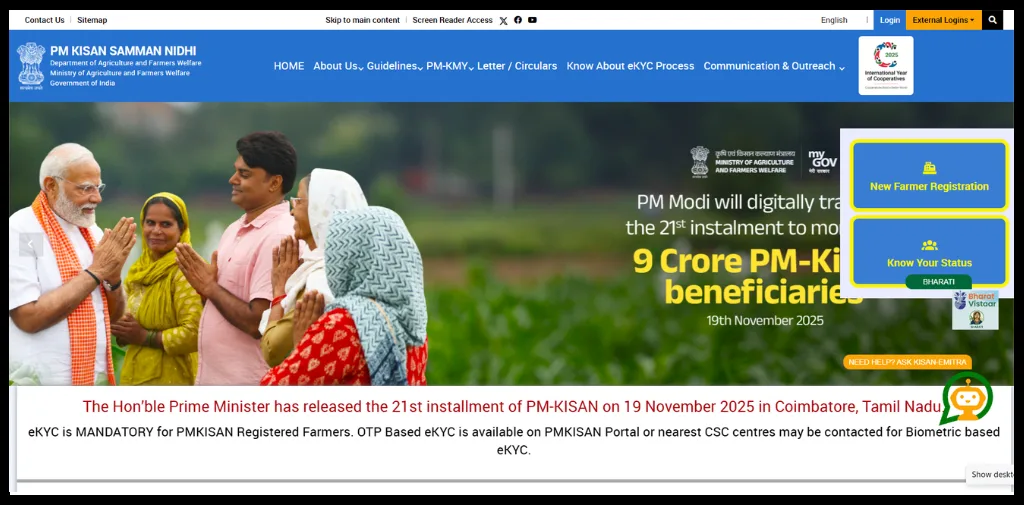
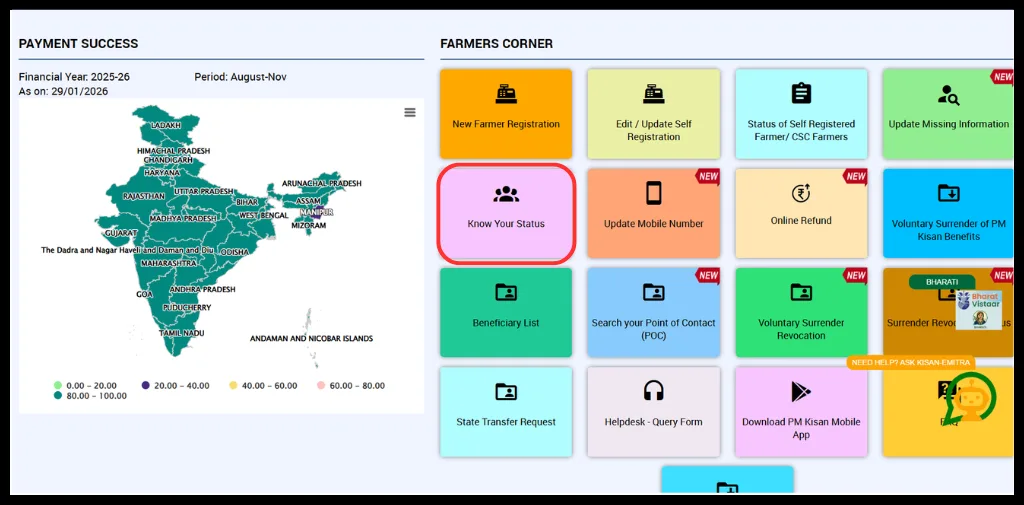
- Under farmer corner, click on Know Your Status.
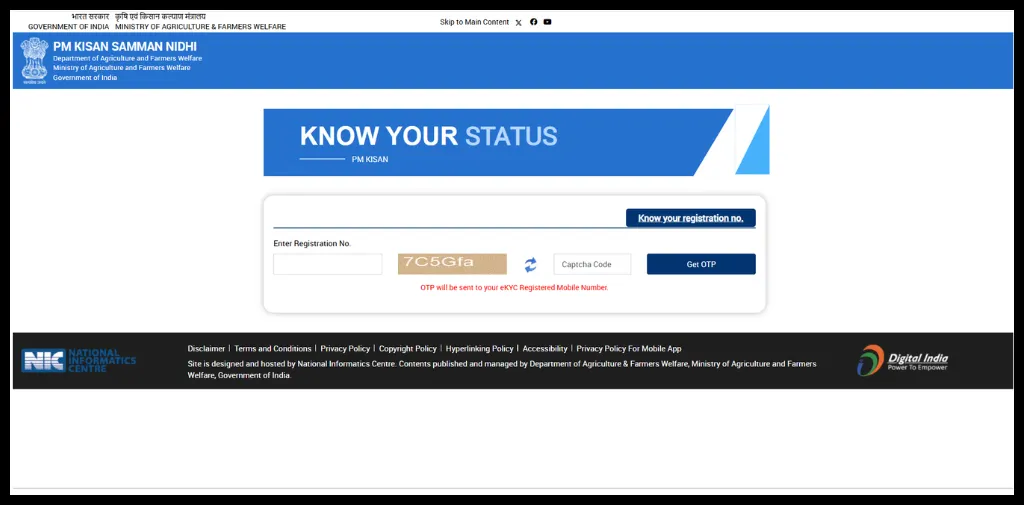
- Enter the registration number and click on Get OTP.
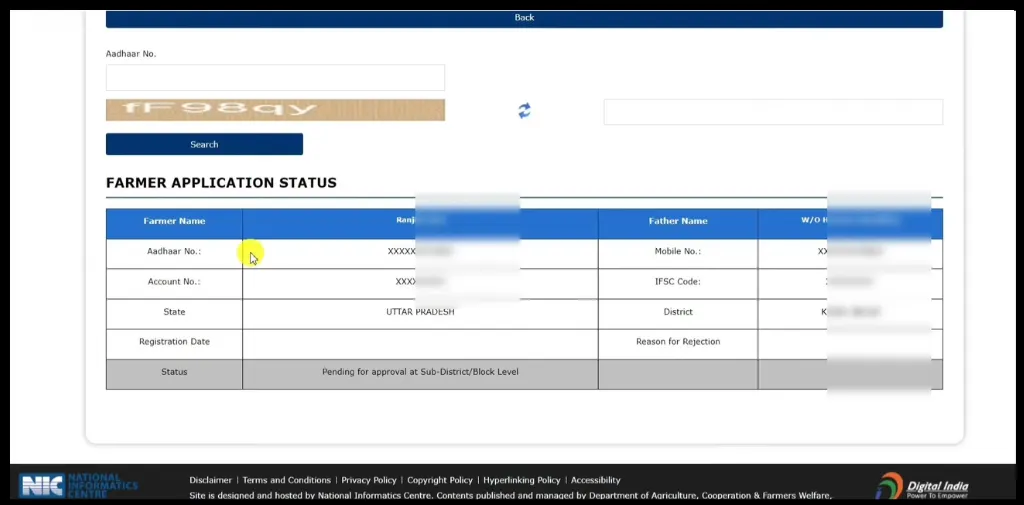
- Verify OTP and get the result status.
PM Kisan KYC Status Check via PMKisan GoI App
- Download the PM Kisan GoI App from the Play Store.
- Click on Login.
- Select the beneficiary as the login type and enter the Aadhaar number.
- Verify with OTP.
- Click on Dashboard.
- Get your eKYC Status details.
Automate your KYC Process & Reduce Fraud!
We have helped 3000+ companies in reducing Fraud by 95%
Documents you need to for PM Kisan KYC check
A farmer needs the following information to check PM Kisan KYC Status:
- Aadhaar Number
- Aadhaar-linked mobile number
How to Complete PM Kisan eKYC?
If you are a farmer looking for ways to complete your PM Kisan KYC process. Just follow the methods below:
Biometric-Based PM Kisan eKYC (CSS/SKK Method)
You can find the nearest CSC at
- Visit the nearest CSC or SSK Centre.
- Carry Aadhaar Card and registered mobile number.
- The official will scan your fingerprint and Iris.
- KYC will be completed instantly.
Convenience Fee: ₹15
Face Authentication PM Kisan eKYC via Mobile App
- Download the PM Kisan App and the Aadhaar Face RD App.
- Log in to the app using your registered mobile number.
- Open the beneficiary status page.
- If eKYC shows No, click on eKYC.
- Enter the Aadhaar number.
- Give consent for face scan.
- Scan your Face.
- eKYC will be completed.
Important Notes About PM Kisan eKYC
- The PM Kisan eKYC Status is updated within 24 hours.
- Farmers can check the KYC status from the beneficiary status page
- Farmers can also use the Kisan eMitra AI Chatbot for Support
PM Kisan Helpline and Support
If you face any issues in finding Pradhan Mantri Kisan KYC Status or any other issue, contact official support:
Helpline Number: 155261 / 011-24300606
Email: [email protected]
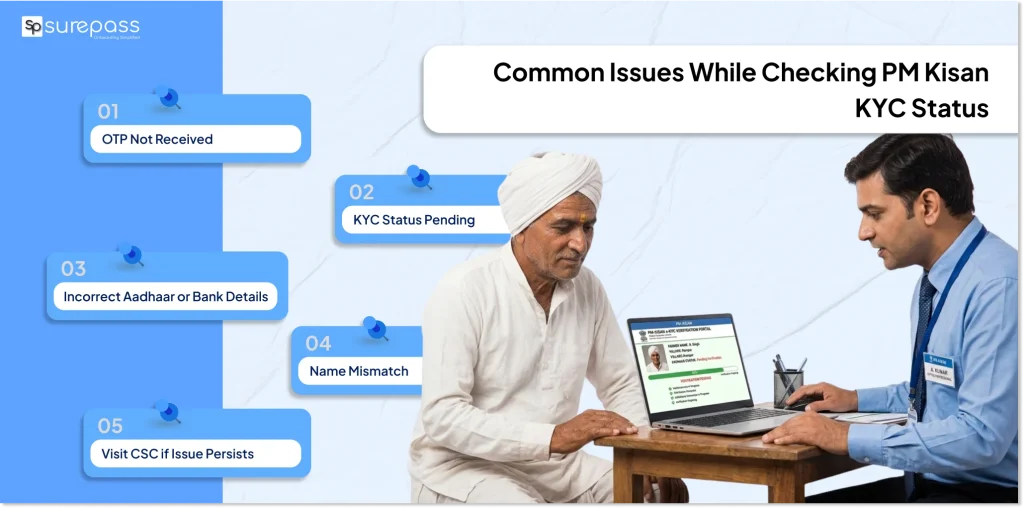
Common Issues Occur While Checking KYC PM Kisan Beneficiary Status
These are the mistakes a farmer should avoid:
OTP Not Receiving
This is the most common issue that you face on the PM Kisan website while checking the KYC status. It can occur due to many reasons, like server issues and the mobile number is not linked with Aadhaar. Wait for some time, then try again. Alternatively, you can check PM Kisan Status KYC via the mobile App.
KYC Status Showing Pending
KYC status updation takes around 24 hours. So, wait for 24 hours atleast then recheck. If the KYC status is still not updated, go to the CSC (common service centre).
Wrong Aadhaar or Bank Details
If Aadhaar number or bank details are incorrect, you will face an issue in updating KYC. To solve these issues, go to the PM Kisan portal and find the information correction or updation icon. Apart from this, if you face an issue in online correction, visit the bank with the valid documents for correction.
Name Mismatch
If your name in Aadhaar does not match the name in PM Kisan records, your KYC may get rejected or delayed. To fix this issue, first update and correct your name in your Aadhaar card through the UIDAI website or at the Aadhaar Enrolment centre. After updating Aadhaar details, go to the PM Kisan GoI app and update your profile with the correct information.
Conclusion
Checking PM Kisan Status KYC is quite important for farmers to receive benefits and installments. They can check the KYC status easily via the PM Kisan website and PM Kisan mobile app. Just follow the above step-by-step guide for PM Kisan KYC Status. Ensure that you have a mobile number linked with your Aadhaar, and all the information on your Aadhaar PM Kisan records matches with each other. As any discrepancy can lead to errors. If you face any error while checking PM Kisan KYC, contact Helpline Number: 155261 / 011-24300606 or email at [email protected].
FAQs
Ques: How to check PM Kisan KYC Status?
Ans: You can check kyc pm kisan beneficiary status from the PM Kisan portal just follow these steps:
Go to Portal > find Know your status > fill the required details > verify with OTP > get status.
Ques: How to check eKYC status from PM Kisan?
Ans: You can check the eKYC status easily from PM Kisan GoI App. Download the PM Kisan GoI App → Log in as Beneficiary using Aadhaar → Verify with OTP → Open Dashboard → Check eKYC Status.
Ques: How can I check the PM Kisan installment status by Aadhaar Number?
Ans: Visit the PM Kisan Portal, click on know your status, fill in the details, and verify with OTP, get eKYC details along with installment details.
Download the PM Kisan App > complete login and verification process > select dashboard > now details will be displayed on screen > click on beneficiary status to check installment > select installment number, click on get details.
Ques: How to check PM Kisan status in mobile?
Ans: You can check the PM Kisan status in Mobile by the PM Kisan GoI App.
Ques: What are the eKYC methods for PM Kisan?
Ans: There are 3 methods to complete eKYC for PM Kisan: Aadhaar OTP Based e-KYC, Face Authentication Method (Mobile App and Biometric-Based e-KYC (CSC Centres).
Automate your KYC Process & Reduce Fraud!
We have helped 3000+ companies in reducing Fraud by 95%