Now with the new Aadhaar App, Aadhaar holders can change their mobile number with a few clicks. They no longer need to go to the CSC (common service center) and wait in long lines. Just follow this step-by-step guide and learn how to change mobile numbers in Aadhaar using the Aadhaar App. But before that, firstly, download the new Aadhaar App from the Play Store or App Store. Login into the App to access the services offered by the new Aadhaar App.
Requirements to Change Mobile Number in Aadhaar using Aadhaar App
For changing Aadhaar linked mobile number, you need:
- Aadhaar Number
- New Mobile Number
- Smartphone with New Aadhaar App
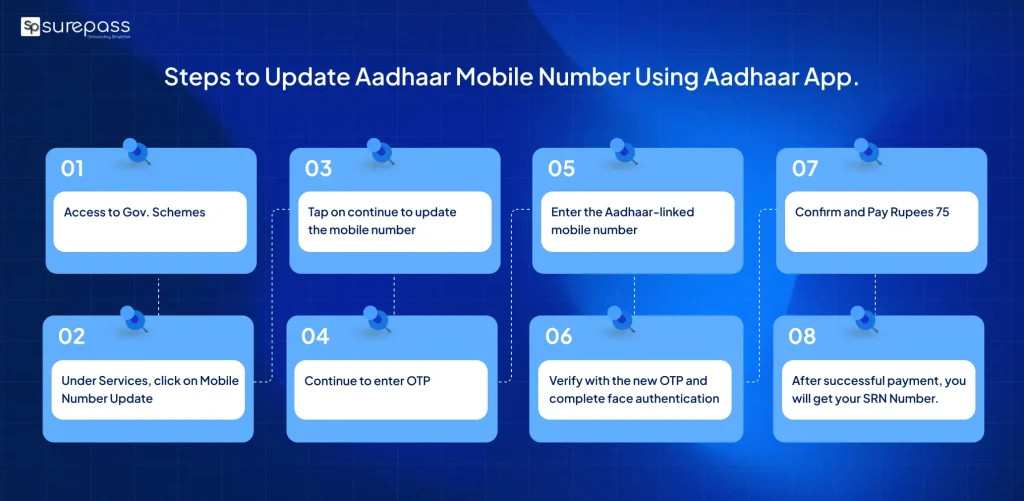
Steps to change mobile number in Aadhaar using Aadhaar App
Follow these steps and change your mobile number using the Aadhaar App:
- Open New Aadhaar App.
- Under Services, click on Mobile Number Update.
- Tap on continue to update the mobile number.
- Continue to enter OTP.
- Enter the Aadhaar-linked mobile number.
- Verify with the new OTP and complete face authentication.
- Confirm and Pay Rupees 75.
- After successful payment, you will get your SRN Number.
Automate your KYC Process & Reduce Fraud!
We have helped 3000+ companies in reducing Fraud by 95%
How to track the mobile number change status using the Aadhaar App?
You can check the status after successfully applying for the mobile number change through the Aadhaar App:
- Open Aadhaar App
- Login
- Tap on Services
- Find Track my Status
- Click on the down arrow
- Check change/Update status
What is the Processing time for Mobile Number Update?
The mobile number change process usually takes 5 to 10 working days. However, it may take up to a maximum of 30 days. If your mobile number has not been updated even after 30 days, you can contact the Helpline at 1947 or email [email protected].
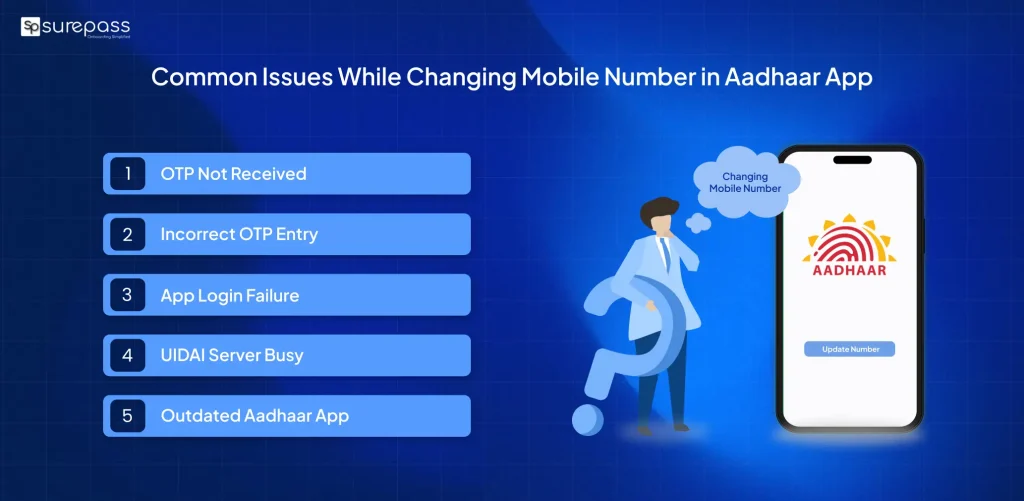
What are the common issues that occur while using the Aadhaar App for Mobile Number change?
These are common issues that may occur while using the Aadhaar App for mobile number updates:
- OTP Not Received: This is the most common issue while changing a mobile number in the Aadhaar app. Wait for some time and try again.
- App Login Failure: This may happen if you enter an incorrect Aadhaar number or OTP. You have not updated the Aadhaar apps. So, update the app and retry again.
- Server Errors: You may face issues when the UIDAI server is busy. Wait for some time and try again.
How to Change Mobile Number in Aadhaar Offline (Traditional Method)?
If you face trouble in changing your mobile number in Aadhaar using the Aadhaar App. You can opt for the offline traditional method through CSC. You can book an appointment online through the UIDAI website, or you can visit the nearest Aadhaar Centre. The authorized person will help you out.
Fill the Aadhaar update form, submit the form, and pay the service fee. Complete biometric verification and receive an acknowledgment slip. You will receive an acknowledgement slip with the SRN number. This number helps you track application status. Your Aadhaar number will be changed in a few days.
Conclusion
You can easily change your Aadhaar-linked mobile number through the Aadhaar App. You can follow the above steps to change mobile number in Aadhaar using the Aadhaar App. You can track the update status through the SRN number or track my request via the Aadhaar App. If you’re having trouble changing or updating your mobile number, reach out to the UIDAI helpline at 1947 or email [email protected]. Avoid common mistakes like entering incorrect numbers into the app while changing your mobile number.
FAQs
Ques: How to change mobile number in the Aadhaar App?
Ans: Just follow the steps:
- Open the New Aadhaar App
- Login
- Tap on the mobile number update under the services.
- Verify with OTP, complete face authentication, and pay the fee.
Ques: Can I change my mobile number through the new Aadhaar App?
Ans: Yes, you can change your mobile number through the new Aadhaar App.
Ques: How many times can I update my mobile number?
Ans: There is no limit; you can change your mobile number multiple times.
Ques: What if SRN is lost?
Ans: You can contact the UIDAI helpline number 1947 for help.
Ques: Is face authentication compulsory to change the mobile number in Aadhaar using Aadhaar App?
Ans: Yes, face authentication is a part of the process. So, you need to complete the face authentication.
Automate your KYC Process & Reduce Fraud!
We have helped 3000+ companies in reducing Fraud by 95%