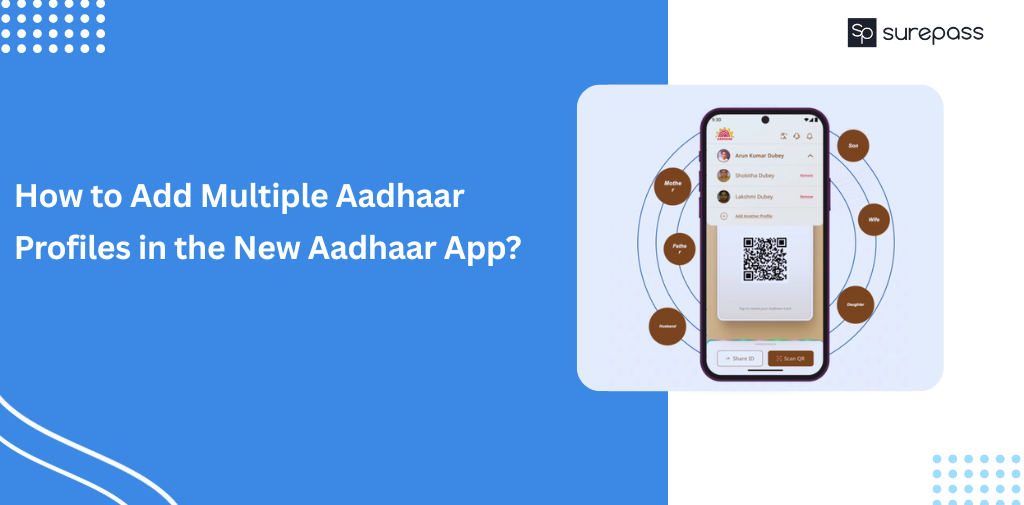
Elderly people and children are the main targets of fraudsters to commit identity fraud. Both of these groups are unable to manage Aadhaar. The new Aadhaar app solves the issue with the multiple profile option. Now, the family can add up to 5 profiles in a single device with the registered mobile number. This reduces the risk of document misuse and fraud.
Here, in this guide, you will learn about how to add Multiple Aadhaar Profiles in the new Aadhaar App.
What is the Multiple Profile Feature in the New Aadhaar App?
The new Aadhaar App multiple profile feature allows Aadhaar holders to add up to 5 Aadhaar profiles in a single device. It helps children manage the Aadhaar profile of elderly parents who are not familiar with digital devices. It also helps parents manage their minor children’s profiles during the school admission and other processes.
Automate your KYC Process & Reduce Fraud!
We have helped 3000+ companies in reducing Fraud by 95%
Things You Must Know before Adding a Profile in the New Aadhaar App
- Same Registered Mobile Number is Required
All Aadhaar profiles should be linked to the same registered mobile number. If the Aadhaar numbers are linked with different numbers, you will not be able to add multiple Aadhaar profiles in the App.
- Only One Profile Active at a Time
You can view and use one profile at a time on the device. In simple terms, you need to switch between profiles wherever required.
- Biometric Security (Face/Fingertips + PIN) is Recommended
Aadhaar is a very sensitive identity proof. Locking the face/fingerprint and security PIN prevents misuse even if the phone is lost.
- Use Selective Sharing: You should share only the required details that are actually necessary for verification. It reduces the risk of data misuse.
How to Add Multiple Aadhaar Profiles in the New Aadhaar App?
Follow the simple step-by-step process and easily add Multiple Aadhaar profiles in the New Aadhaar App:
- Open the new Aadhaar App.
- Enter the Registered Aadhaar number of a person you want to add.
- Proceed with face authentication and OTP verification.
- After successful verification, the profile will be added.
- You can switch the profile.
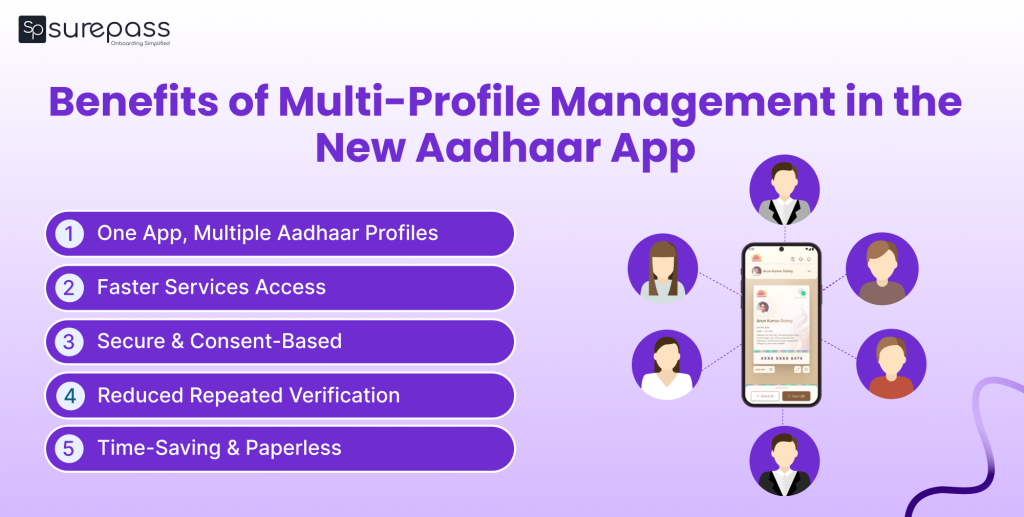
Benefits of Multi-Profile Management
New Aadhaar App offers several benefits:
- Helps Manage Elder and Children Profiles: The multi-profile adding option helps the family in managing the Aadhaar details of family members. It helps parents manage their children’s profiles, and manage their elderly parents’ profiles.
- No need to carry physical IDs: The app replaces the need to carry a physical Aadhaar card for the family or multiple devices for verification.
- Gives Control Over Data Sharing: The selective sharing and QR-based verification features give Aadhaar holders control over how their data is going to be used.
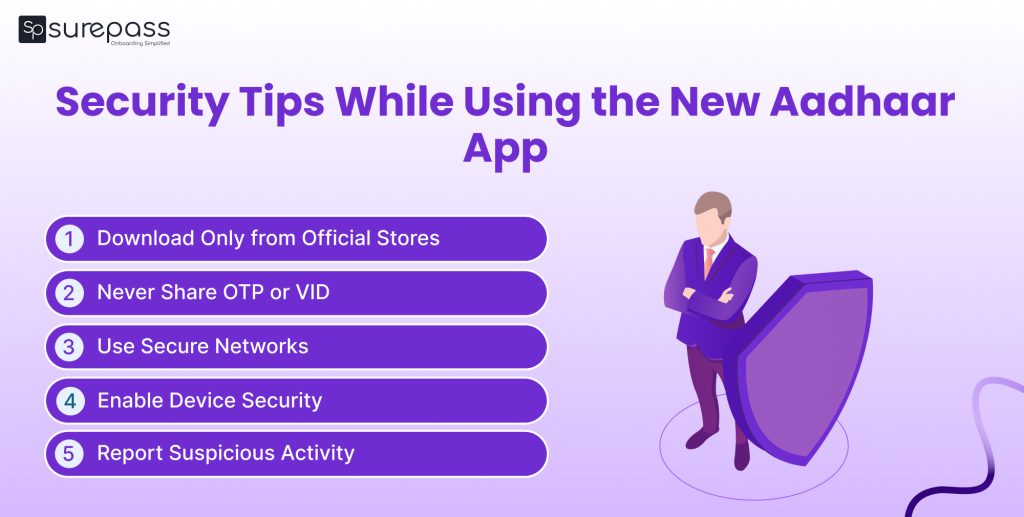
Security Tips You Should Follow While Using the New Aadhaar App
As Aadhaar contains the sensitive personal information of a person. Every Aadhaar user should be careful while using it:
- Set a Strong Aadhaar App PIN: You should set a strong security PIN or change it frequently. So, no one can access the app even if it is lost.
- Lock Biometrics on UIDAI Website: Always lock your biometrics and prevent unauthorized use and identity misuse.
- Never Share OTP with Anyone: Do not share your OTP with anyone, and remember that no verifying authorities ask for OTP on WhatsApp channels.
- Use masked Aadhaar and the selective sharing option: Exposure to the sensitive personal information can lead to fraud. That’s why use masked Aadhaar and prevent sharing sensitive information.
Conclusion
The new Aadhaar apps offer many features that secure and simplify the Aadhaar verification process. It includes Aadhaar update, selective sharing, masked Aadhaar, QR scanning, biometric lock, and Aadhaar multi-profile. The Multi Profile feature helps families manage the IDs in a single app and reduces the need to carry physical IDs along multiple devices for different Aadhaar numbers.
If you want to add the profile of a family member, just download the new Aadhaar app and set up the device. You can follow the above step-by-step guide for help. Remember that Aadhaar is a sensitive document; every Aadhaar holder should protect it from being misused. Set strong security PINs, biometrics lock, never share OTPs with anyone, and always use selective data sharing for verification.
FAQs
Ques: What is the Multi-Profile Feature in the new Aadhaar App?
Ans: The Multi-Profile feature in the new Aadhaar App allows family members to add up to 5 Aadhaar profiles and manage them in a single app.
Ques: How many Aadhaar cards can I add to the app?
Ans: You can add up to 5 Aadhaar card profiles to the app.
Ques: Is it mandatory to use face authentication to add a profile?
Ans: Yes, face authentication is a mandatory requirement.
Ques: Do all members need the same mobile numbers to add profiles?
Ans: Yes, the Aadhaar numbers of family members must be linked with the same registered mobile number.
Ques: Can I use the Aadhaar App without linking a mobile number?
Ans: No, you cannot use the Aadhaar App without linking a mobile number.
Automate your KYC Process & Reduce Fraud!
We have helped 3000+ companies in reducing Fraud by 95%