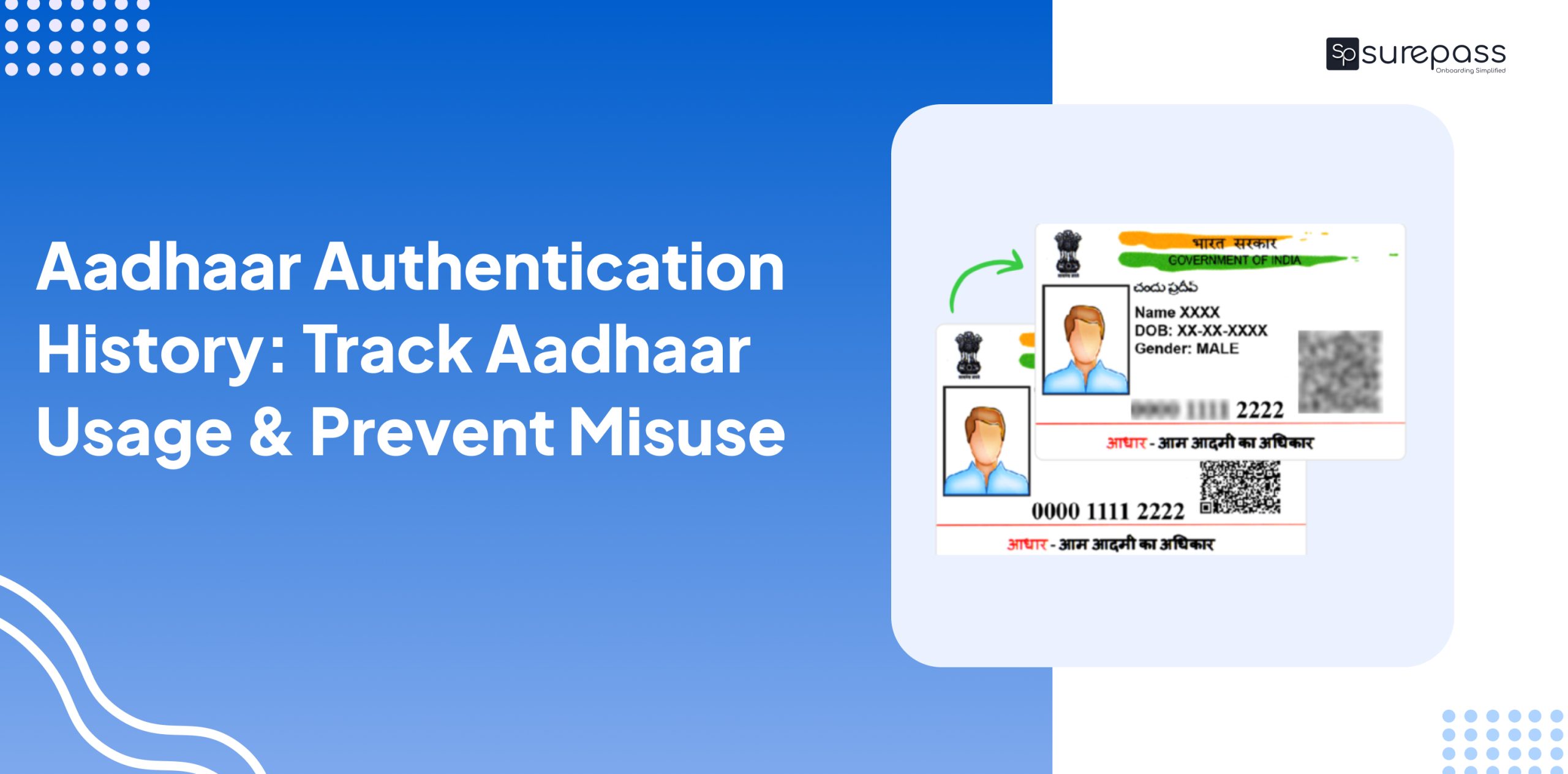
Identity theft cases are increasing in India. This makes it essential for the Aadhaar holder to check the authentication history to find unauthorized access and misuse. It helps in unknown verification performed without the knowledge of the actual Aadhaar holder. Now you can easily check Aadhaar authentication history with the activity log feature. Here, in this guide, you will learn about how you can use the Aadhaar App to track Aadhaar Usage.
What is the Aadhaar Authentication History?
Authentication History or Usage Log is a feature introduced by UIDAI (Unique Identification Authority of India). This allows users to track exactly when and where the Aadhaar is used. It is developed into the activity log, which displays all past authentication events linked to your Aadhaar number. It gives you complete visibility over its usage across services and platforms. An authentication history check helps identify the misuse of Aadhaar details without the permission of the actual Aadhaar holder.
How to Check Aadhaar Authentication History?
Follow this step-by-step guide to check the authentication history:
From Aadhaar App
- Login to the Aadhaar App
- Scroll down to the profile
- Tap on Auth. History
- Get authentication details
From UIDAI Website
- Visit UIDAI Portal
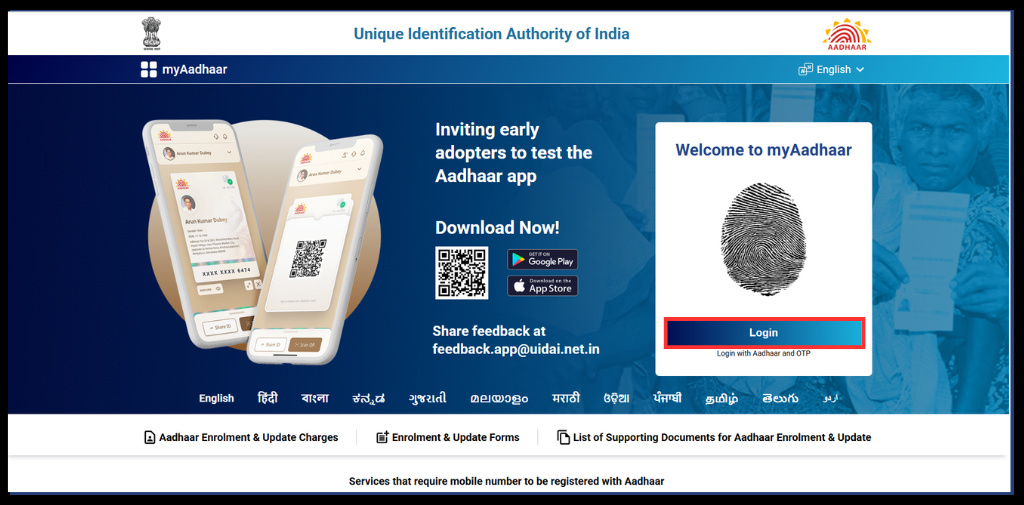
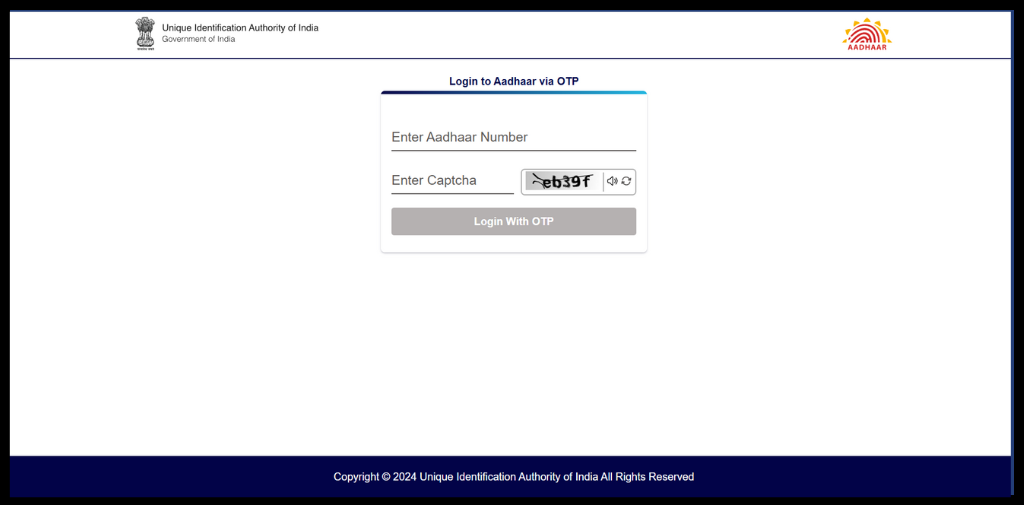
- Login to Aadhaar Via OTP
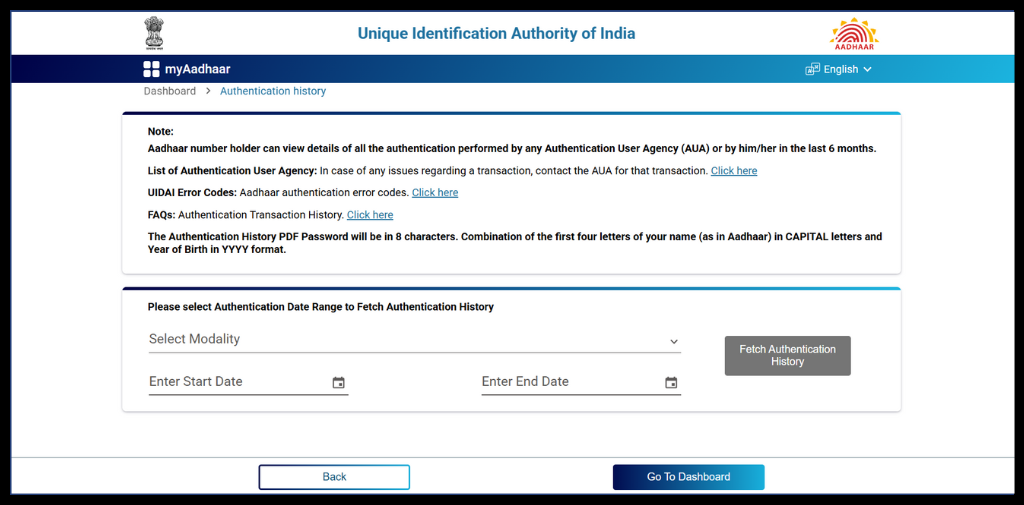
- Click on Authentication History

- Fill in the dates, and Click on fetch Authentication History.
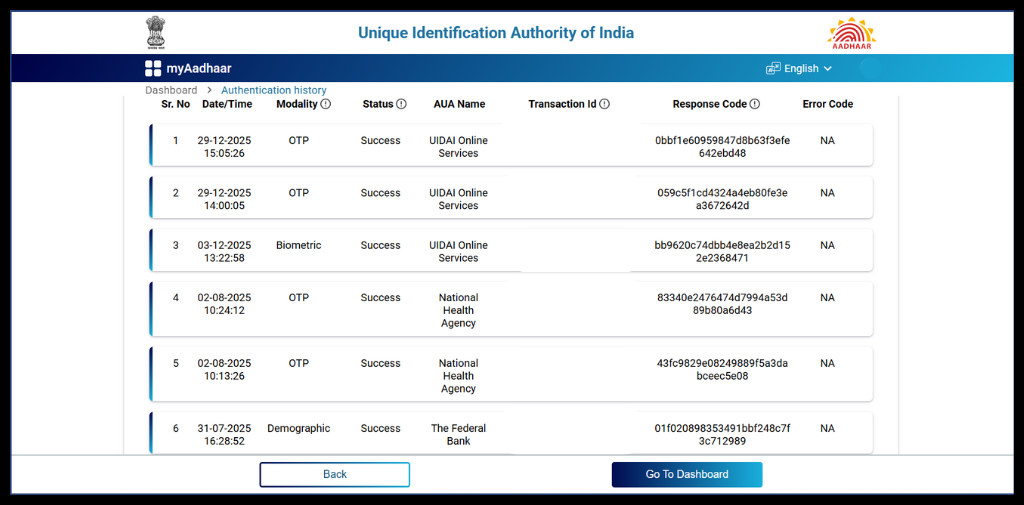
- Get Authentication History Details.
How to Lock Aadhaar Biometric?
You can prevent misuse of your Aadhaar by locking your biometrics. It prevents unauthorized access to your Aadhaar details. You can unlock your Biometric anytime when you need it.
Follow these simple steps to lock your biometric with ease.
- Open the New Aadhaar App.
- Click on the tap to reveal your Aadhaar Card.
- Tab on Bio Lock

Tips and Best Practices for Secure Aadhaar App
These are the tips you can follow to secure the Aadhaar:
- Never Share Aadhaar Publicly: Avoid sharing your Aadhaar number or photocopies on Social Media, WhatsApp groups, or unverified websites.
- Use Masked Aadhaar or Virtual ID (VID): Use Masked Aadhaar or VID instead of sharing the full Aadhaar Number. It will prevent data exposure and fraud risk.
- Regularly Check Aadhaar Authentication History: Make it a habit to review the Aadhaar Authentication History every week. It helps you detect unusual or unauthorized connection usage early.
- Lock Your Biometrics When Not in Use: It allows you to lock biometric data. Lock the biometric when you don’t need biometric verification. Unlock only for required services.
- Use Selective Sharing: The Selective sharing feature in the new Aadhaar App allows an Aadhaar holder to share only the necessary information.
- Protect Registered Mobile Number: Your registered mobile number will receive OTPs and alerts. Keep it active, updated, and secure. Do not share OTPs with anyone.
- Beware of Fake Aadhaar Websites or Apps: Many clone and fake Apps are available on the internet that steal personal information. Avoid using third-party websites that claim to generate or verify the Aadhaar.
- Check for HTTPS before sharing: If it is really necessary to share Aadhaar information online. Check for “https:” in the URL for secure encryption.
- Don’t fall for KYC Scams: No bank/telecom operator will ask you to share the Aadhaar OTP for KYC update.
- Secure Your Phone: Because the Aadhaar OTPs and the Aadhaar App are on the phone. Secure it using:
- Strong PIN or biometric lock.
- App lock for sensitive apps.
- Regular Software updates.
Automate your KYC Process & Reduce Fraud!
We have helped 3000+ companies in reducing Fraud by 95%
How to report if you find Something Suspicious?
On finding anything suspicious or unauthorized access, or misuse of Aadhaar details without your permission. You can report to UIDAI by calling the toll-free helpline at 1947 or emailing [email protected]. Apart from this, you should also file a complaint at cybercrime.gov.in. Give a call to the cybercrime helpline at 1930 or visit the nearest police station or cyber cell.
Conclusion
Aadhaar is an accepted identity proof by most organizations. A fraudster can use it to access a banking service or a loan illegitimately. That‘s why it becomes essential for each Aadhaar holder to lock their biometric and check the Aadhaar Authentication History. It helps check if someone has used your details without your permission. Checking history prevents further misuse of Aadhaar details. The Aadhaar App feature helps you detect unauthorized access. On finding suspicious activity, immediately report to UIDAI and the Cybercrime portal.
FAQs
Ques: Can I check who used my Aadhaar for verification?
Ans: Yes, you can check the Aadhaar usage with the Aadhaar App.
Ques: What should I do if I see an unknown Aadhaar verification?
Ans: You should immediately report to the UIDAI grievance portal and lock your Aadhaar biometric.
Ques: How often should I check my Aadhaar authentication log?
Ans: Each Aadhaar holder should check the activity log regularly or every 15 – 20 days.
Ques: Can someone misuse my Aadhaar Card?
Ans: Yes, if someone gains access to OTP and biometric data, the misuse of Aadhaar details is possible.
Ques: Is sharing Aadhaar while hotel check-in safe?
Ans: Yes, but don’t share full information; instead, share masked Aadhaar.
Automate your KYC Process & Reduce Fraud!
We have helped 3000+ companies in reducing Fraud by 95%