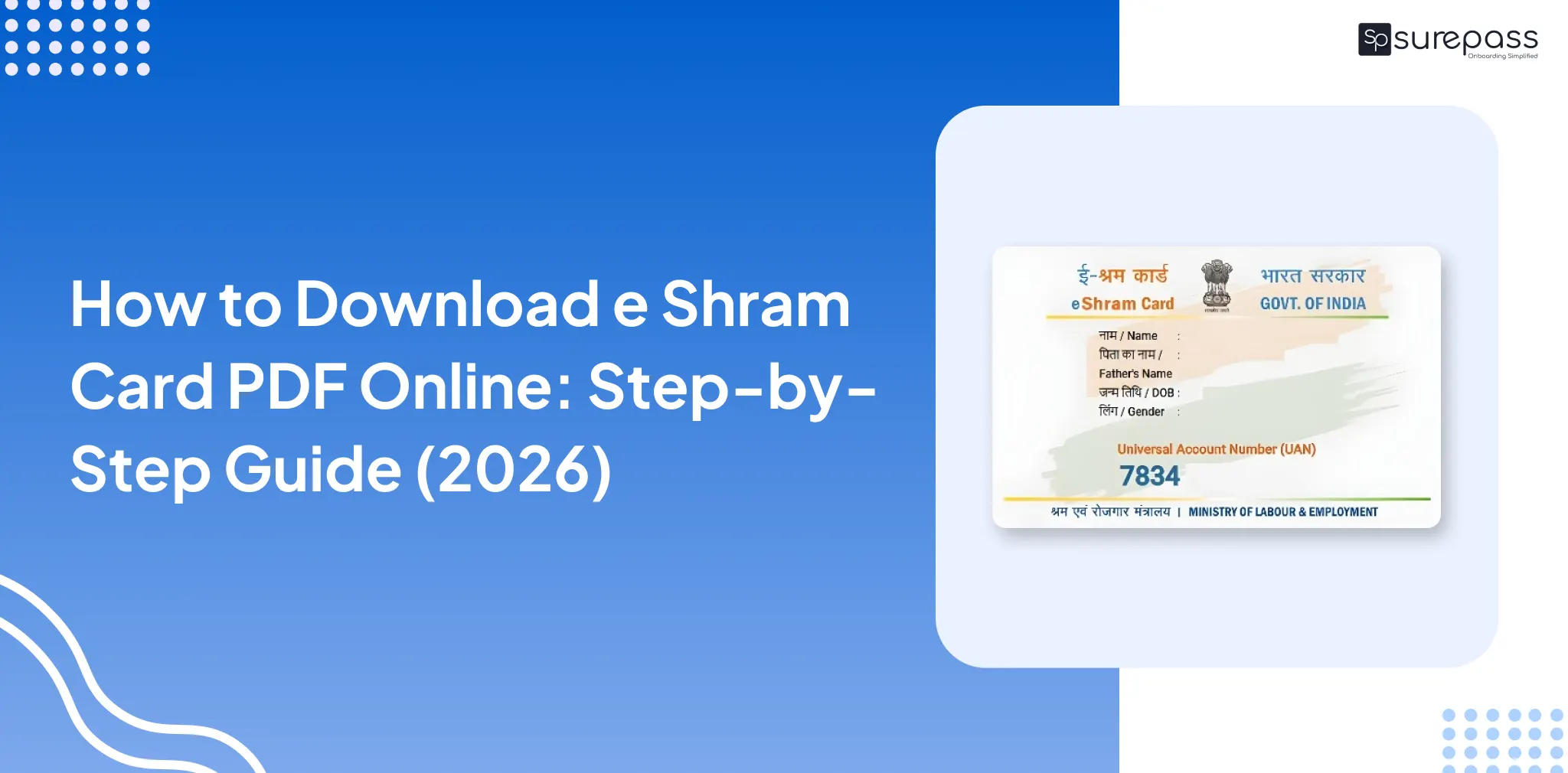
Each registered worker needs to download e Shram Card PDF. It helps in accessing government welfare schemes, including the ₹2 lakh accidental insurance coverage, pension benefits, and direct benefit transfer. Here you will learn various methods for the Shram Card PDF download.
Details Required for e-Shram Card PDF Download.
These are the details you need to download your e-Shram Card
- Aadhaar Card
- UAN Number
- Mobile Number for OTP Verification
How to Download e Shram Card PDF Online?
Follow this step-by-step guide to download the e-Shram card PDF:
E Shram Card Download PDF by Aadhaar Number
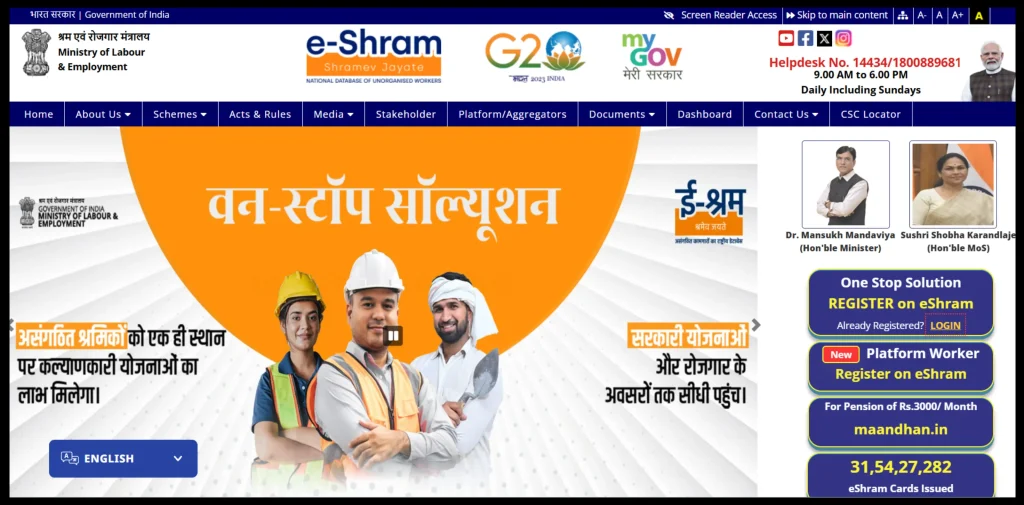
- Go to the e-Shram Portal
- Click on login
- Enter your Mobile Number (Aadhaar-linked mobile number)
- Complete the OTP verification process
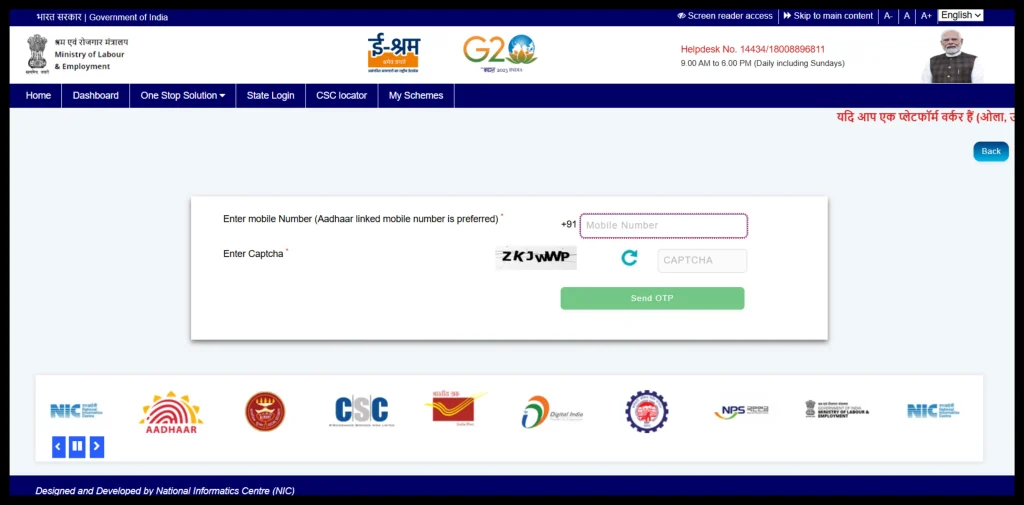
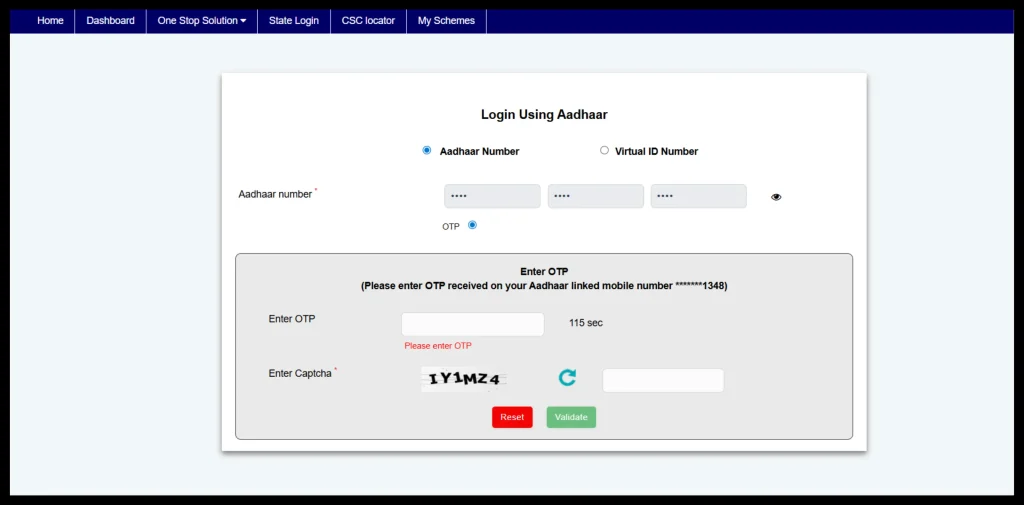
- Enter Aadhaar number, select OTP, and fill in the captcha
- Click on Submit
- Enter OTP and click on validate
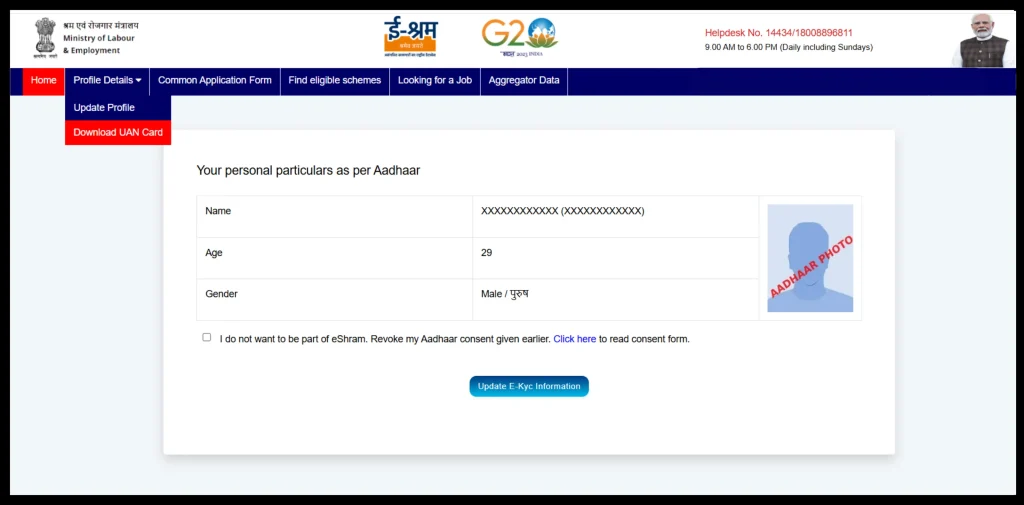
- Go to the profile detail, and click on Download UAN Card.
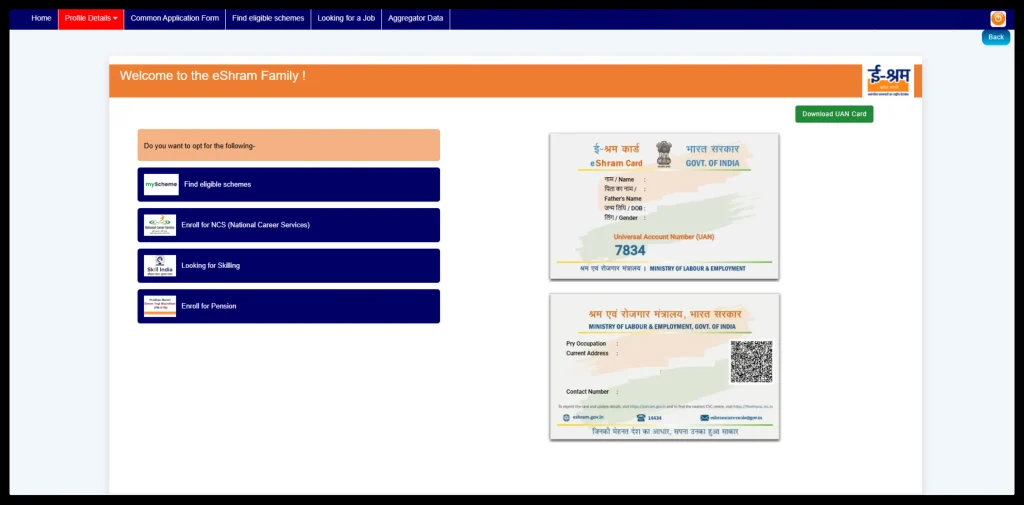
- The e-Shram card will be generated and displayed on the screen.
- Click on the download option and download the e-Shram Card PDF.
Download e-Shram card PDF by UAN Number
- Go to the e-Shram Portal.
- Click on the “One Stop Solution” option.
- Choose Login Using UAN.
- Enter your UAN number, date of birth, and Captcha code.
- Click on “Generate OTP”.
- Enter the OTP sent to your registered mobile number.
- Fill in the Captcha code and click on validate.
- After logging in, click on “Download UAN Card.”
- The e-Shram Card will display on the screen.
- Click on Download to save e Shram Card PDF on your Device.
Automate your KYC Process & Reduce Fraud!
We have helped 3000+ companies in reducing Fraud by 95%
How to get help if errors occur in e Shram Card download PDF?
You can contact the eShram help desk for assistance on finding errors while downloading the eShram Card.
Helpdesk Number: 14434/18008896811
Please note that the service is available from 9 am to 6 pm daily, including Sunday. If you are unable to get in touch with the support. Try the next day, helpdesk support will help you out.
How to solve e-Shram Card Download errors?
A user may encounter technical issues while downloading the eShram Card. To resolve it, the user can take the following steps:
- Check Internet Connection: Check the internet connection, because strong internet connectivity is required for downloading e Shram card PDF.
- Clear Browser Cache: The user can clear browser cookies to solve data storage issues.
- Try using another browser: If the issue persists, you can try a different browser or device.
- Contact Support: If the issue persists even after trying each method, kindly contact the helpdesk at 14434 for assistance.
Download e-Shram Card PDF Through Fingerprint (Offline)
If you are facing trouble in downloading e Shram card online, you can visit the nearest Common Service Centre. You can get a print of e Shram Card through fingerprint or biometric verification.
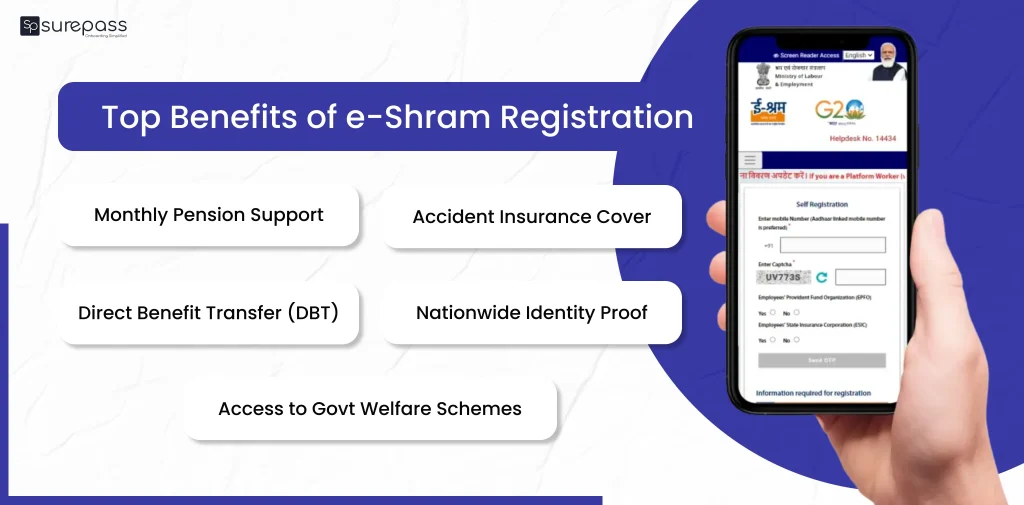
What are the benefits of having e Shram Card?
The e-Shram Card is a government initiative by the Ministry of Labour and Employment to support unorganized workers.
- ₹3,000 Monthly Pension: The eligible e-Shram registered workers will get a pension of ₹3,000 per month.
- ₹2 Lakh Accident Insurance Cover: The worker gets accidental insurance coverage of up to ₹2 Lakh. It provides financial help to the worker’s family in case of death or disability.
- Access to Government Welfare Schemes: e-Shram cardholders become eligible for various central and state government schemes related to health, housing, education, and skill development.
- Direct Benefit Transfer: Government financial help is directly transferred to the bank account linked to the Aadhaar. It reduces delays and corruption.
- Employment and Skill Opportunities: The government can connect registered workers with job opportunities, training programmes, and skill-upgradation schemes.
- Free Registration and Lifetime Validity: No registration or download fee, valid for a lifetime, and can be used across India.
- Identity Proof for Unorganized Workers: e-Shram Card works as an official identity proof for workers in the unorganized sector. It helps them access banks, schemes, and services easily.
Conclusion
An e-Shram Card offers various benefits to the unorganized workers, including a monthly pension after the age of 60, ₹2 lakh for accidents, and various other government benefits. An unorganized worker can get this card after registration. You can follow the above methods to download e Shram card PDF. If you face any error in e shram card PDF download, contact the helpdesk for assistance.
FAQs
Ques: How to download e-Shram by mobile number?
Ans: Visit the Shram portal > click on login > enter mobile number > complete OTP verification> choose login option > verify with OTP > click on profile details > click on download UAN Card.
Ques: How to take an e-Shram Card Print?
Ans: Visit the e-Shram portal, log in via the “Already Registered” option, enter the required details, download the UAN, and save the PDF for printing.
Ques: Can I download my e shram card PDF?
Ans: Yes, you can download e Shram card PDF from eShram portal.
Ques: Who is eligible for e Shram card?
Ans: You should be an Indian citizen aged between 16 and 59, and working in the unorganized sector.
Ques: What is UAN in the e-Shram Card?
Ans: UAN in the e-Shram Card stands for Universal Account Number issued to unorganized service workers when they registered on the e-Shram Portal.
Ques: Who can apply for e shram card PDF?
Ans: Any indian citizen working in the unorganized sector, aged 16 to 59, with an Aadhaar-linked mobile number.
Automate your KYC Process & Reduce Fraud!
We have helped 3000+ companies in reducing Fraud by 95%