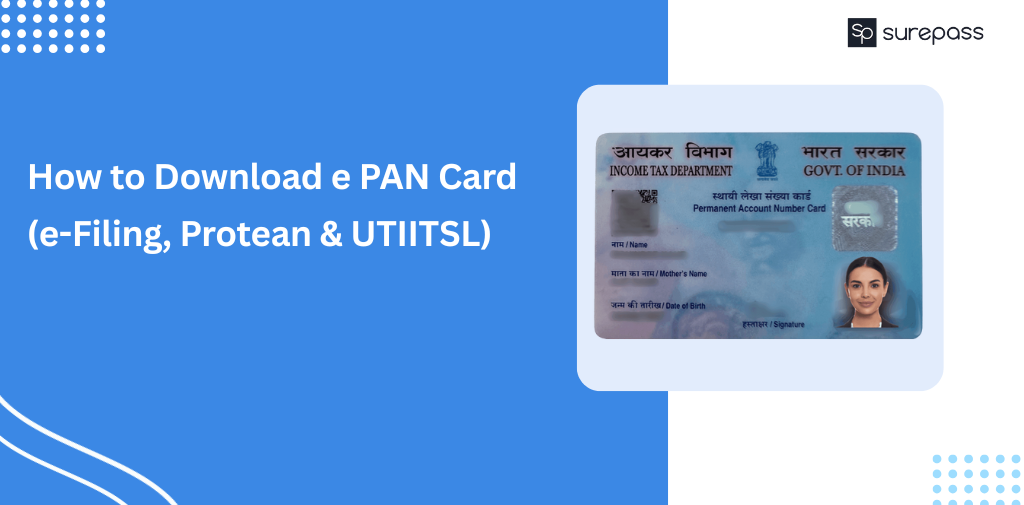
An e-PAN Card is an online version of the Permanent Account Number (PAN). The Income Tax Department of India issues the e-PAN. It is legally valid and is accepted for official processes such as banking, income tax filing, and PAN verification in KYC. Many users prefer to download e PAN card instead of a physical card. It is easy to store and carry without risk of damage or loss. e PAN Card download process is simple and accessible to everyone. Whether you are a new applicant (waiting for a physical PAN Card) or someone who has lost or damaged their PAN card or a business owner, you can easily obtain e PAN online. This guide explains how to download e-PAN from:
- Income Tax e-Filing Portal
- Protean (formerly NSDL)
- UTIITSL
Pre-requisite to Download e PAN Card
Before starting the e-PAN card download process, make sure you have:
- PAN number or Acknowledgement number
- Aadhaar linked with PAN (mandatory for OTP verification)
- Mobile number linked with Aadhaar
- Registered email ID linked with PAN
Automate your KYC Process & Reduce Fraud!
We have helped 3000+ companies in reducing Fraud by 95%
e PAN Card Download Methods
Multiple authorized platforms offer e PAN download services. These platforms allow users to access their PAN easily. These include the Income Tax e-Filing portal, UTIITSL, and Protean (formerly NSDL). You can download PDF of e PAN card from these platforms. Apart from them, you can also download e PAN card from DigiLocker.
E PAN Generation Time and Download Rules
These are rules every PAN applicant or PAN card holder must know:
- E PAN can be downloaded only after it is generated and allotted
- E PAN is generally generated within 15 days after the application approval
- E PAN can be downloaded only from the portal where the application was made
- Protean applications – download from the Protean website only
- UTILLS applications – download from the UTIITSL website only
- Instant e PAN applied from e-Filing portal – Go for e Filing PAN Card Download only.
How to Download e PAN Card from Protean (NSDL)?
You can download e PAN from Protean via PAN Number or acknowledgement number.
Method 1: e PAN Card Download Using Acknowledgement Number
- Go to Protean
- Select acknowledgement number
- Enter DOB and click on submit
- Verify with OTP
- Your e-PAN card will be sent to the email address.
- Download PDF and enter your DOB as your password to view e PAN Card.
Password: Your Date of Birth (DDMMYYYY)
Method 2: e PAN Card Download Using PAN Number
- Visit to Protean
- Enter PAN Number, Aadhaar Number, and other details.
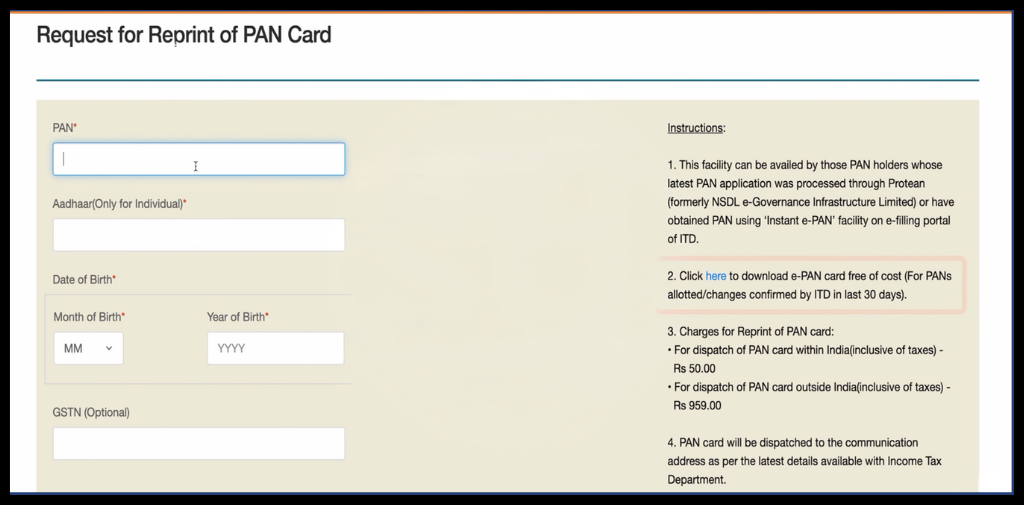
- Click on Submit
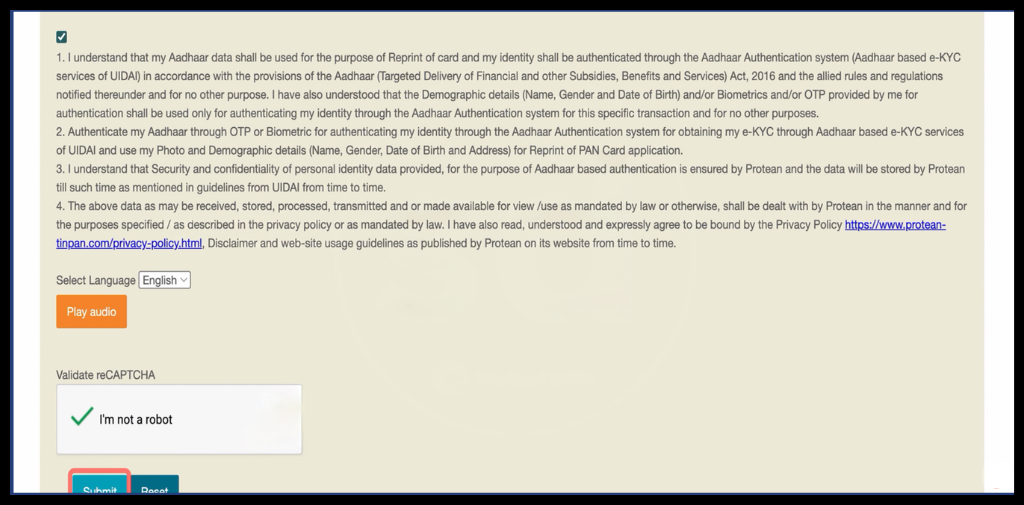
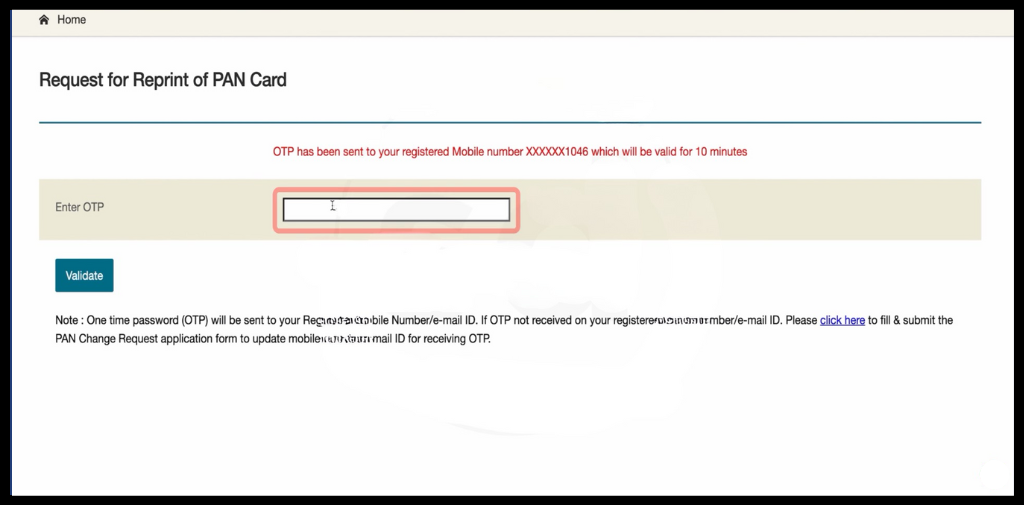
- Proceed with OTP verification
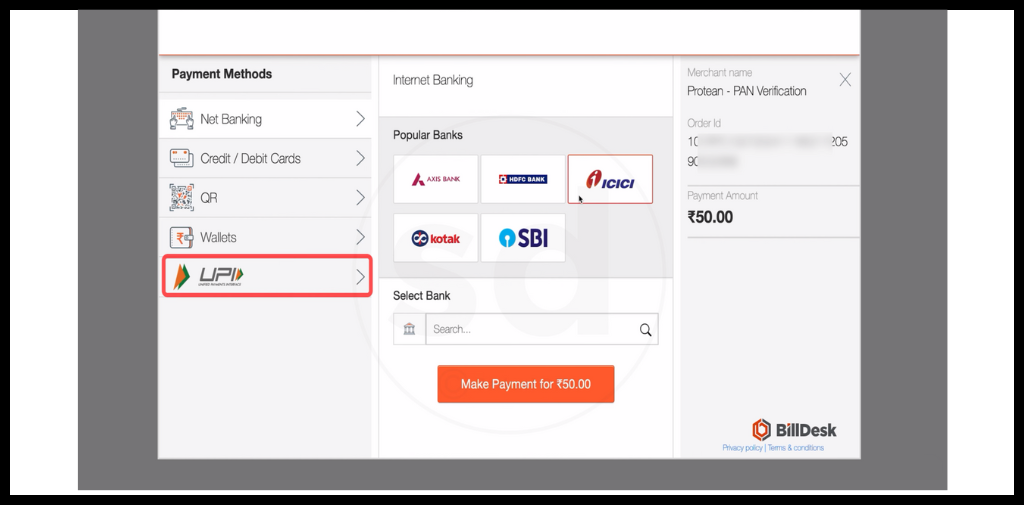
- Select the mode of payment and click on proceed with payment.
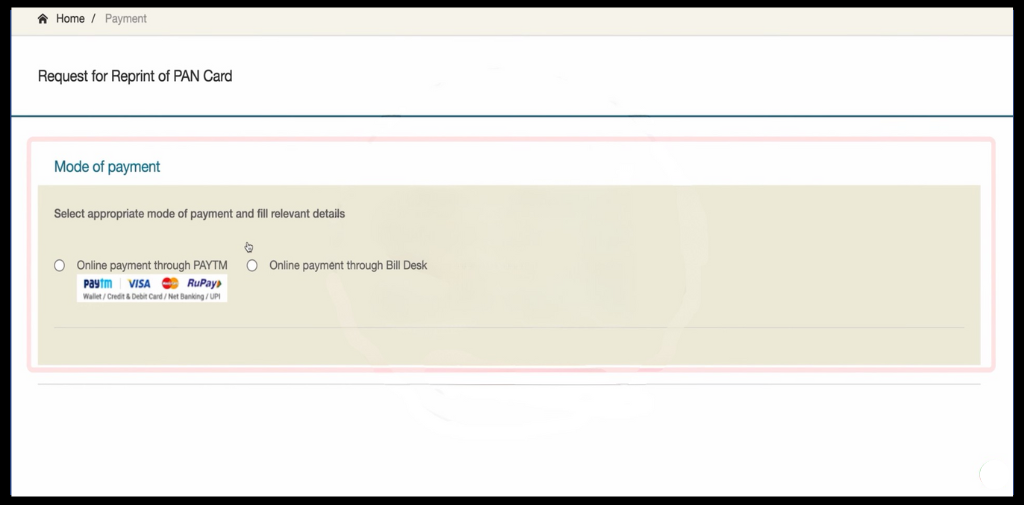
- On successful payment, receive the ePAN card on mail.
How to Download e PAN Card from UTIITSL?
If you have applied for a new PAN card from the UTI portal. Follow the instructions below:
- Go to UTIITSL.
- Enter the required information and click on Submit.
- Click on Get OTP and complete the OTP verification process.
- Proceed with payment
- Receive the e PAN card PDF on your PAN-linked email ID.
- Download the PDF and enter the password to get your e PAN Card.
How to do e filing PAN card download Online?
Follow the step-by-step guide to download the PAN card for e filing pan card download.
- Visit e-Filing Portal
- Click on Instant e-PAN, then click on check status/Download PAN
- Enter the Aadhaar Number and verify with OTP.
- Click on download e-PAN.
- Enter the DOB as the password.
How to download e PAN Card from DigiLocker?
Follow this step-by-step guide and get your PAN Card online:
- Visit DigiLocker
- Login
- Click on Search Documents, then click on PAN Verification Record
- Click on Income Tax Department All States
- Enter the details and click on Get Document
- Download PDF
e-PAN Card PDF Password
Your PAN card PDF file is password-protected for security reasons. This password is nothing but a combination of your Date of Birth and PAN Number. The format of the password is DDMMYYYY (date of birth of PAN card holder mentioned in PAN records). If your date of birth is 15 August 1995, then the password will be 15081995.
Benefits of e-PAN Card over a Physical PAN Card
There are several benefits of using e-PAN over a physical PAN Card:
- e PAN PDF is delivered instantly to your email without waiting for postal delivery.
- You can download PAN card online anytime and anywhere in digital PDF format, whenever it is required.
- No risk of physical damage, loss, or wear and tear.
- It is accepted for KYC, Banking, income tax filing, and investments.
Common Issues While Downloading e-PAN Card
These are common issues that occur:
- OTP not received on the registered mobile number or email.
- Incorrect PAN, Aadhaar, or Date of Birth entered. In such cases, apply for a PAN card correction.
- The website server is temporarily down or slow.
- Technical error during the verification process.
- PAN details are not yet updated in the database.
- Multiple failed attempts leading to a temporary access block.
- Mobile Number is not linked to the Aadhaar. So, check the Aadhaar PAN link status and link PAN with Aadhaar.
e PAN Card Download Support & Help
If you are facing issues while downloading e PAN card, such as OTP problems or download errors. You can reach the customer support team through:
- Income Tax Department Helpline: +91-20-27218080
- UTIITSL Customer Support: +91-33-40802999 / 033-40802999
- Protean (formerly NSDL) Support: 020-27218080, 08069708080
Customer Care Email Support
- Protean PAN Support Email: [email protected]
- UTIITSL PAN Support Email: [email protected]
Conclusion
e PAN card is legally valid and eliminates the need to carry physical documents. You can download e PAN card from the same portal where you applied for PAN card issuance, including the e-Filing portal, UTIITSL, or Protean. For example, if you have applied PAN from e-Filing portal, you have only the e Filing PAN card download option. You can follow the above step-by-step guide for e PAN card download. The e PAN PDF reduces paperwork and is safe from loss or damage. In case you face any issues while downloading, contact customer care.
FAQs
Ques: Can I download my e PAN Card?
Ans: Yes, you can download your e PAN Card PDF from the Protean, UTIITSL, and e-Filing Portal.
Ques: How to download e pan card?
Ans: You can download e PAN from the Protean, UTIITSL, or e – Filing Portal. Visit the site – search for the e-PAN download option, verify with OTP, and receive e-PAN PDF in your email.
Ques: What is e PAN card?
Ans: ePAN is a digital version of the PAN card containing all the necessary information available on the physical PAN card.
Ques: Is Instant e PAN Free?
Ans: Yes, it is a free-of-cost service.
Ques: Can I download e PAN Card without OTP?
Ans: No, OTP is required for downloading ePAN.
Ques: Is downloading e PAN free?
Ans: Yes, it is free of cost if done within 30 days of issuance. After that, you need to pay ₹8.26.
Ques: Can I download e PAN card online without a PAN Number?
Ans: Yes, you can download ePAN with the acknowledgement number from Protean.
Automate your KYC Process & Reduce Fraud!
We have helped 3000+ companies in reducing Fraud by 95%