
Many businesses still use wet signs on their documents, which increases time and cost due to the printing, scanning, and other costs. In today’s digital world, this is inefficient and to make the entire process smoother businesses can use electronic signs or eSigns. In this guide let’s see how to digitally sign PDFs.
What Is SureSign eSign?
Suresign provides an eSign solution that helps businesses to sign and manage documents electronically in a quick, seamless, and secure way. With Suresign eSign businesses can make approvals, onboarding seamless, and reduce costs of printing, scanning, and other logistics.
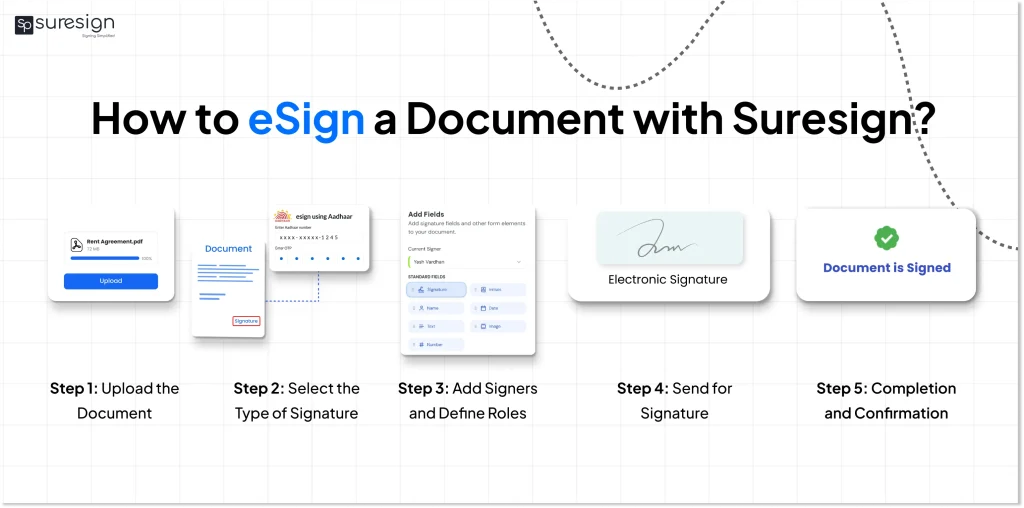
How to eSign a Document with Suresign?
Digitally signing a PDF is quick and secure with SureSign, eliminating the need for printing, scanning, or manual paperwork. The platform allows individuals and businesses to electronically sign PDFs using simple authentication methods while maintaining a smooth signing experience for all parties involved.
Follow these steps to digitally sign a PDF via SureSign:
- Step 1: Upload the Document
Upload the document you want to sign, such as rent agreements, NDAs, contracts, or consent forms, directly to the SureSign platform.
- Step 2: Select the Type of Signature
Choose the preferred signing method: Normal eSign or Aadhaar eSign, which adds an OTP-based secure authentication layer.
- Step 3: Add Signers and Define Roles
Add all required signers and assign roles as needed, such as yourself, tenant, owner, employee, or vendor.
- Step 4: Customize Signature Fields
Easily drag and drop signature fields into the document, including Signature, Name, Date, Reason, Initials, and Phone Number, to match your document requirements.
- Step 5: Send for Signature
Send the document for signing. Each signer receives a secure email link that allows them to electronically sign the PDF from anywhere.
- Step 6: Completion and Confirmation
Once all parties sign, everyone is redirected to a success page, and the digitally signed PDF is securely stored and available for download.
By using SureSign, businesses can electronically sign PDFs faster, reduce manual effort, and ensure a smooth, end-to-end digital signing workflow.
Automate your KYC Process & reduce Fraud!
We have helped 3000+ companies in reducing Fraud by 95%
Use Cases of Suresign eSigns
- Employee Onboarding: Businesses can send offer letters to employees and get their signatures electronically without any delays.
- Rent Agreements: Landlords can make tenants sign the agreements without being present in person.
- Banking: Suresign enables secure signing of loan, and account opening documents.
- Business Contracts: Sign contracts and close deals on time by signing contracts digitally.
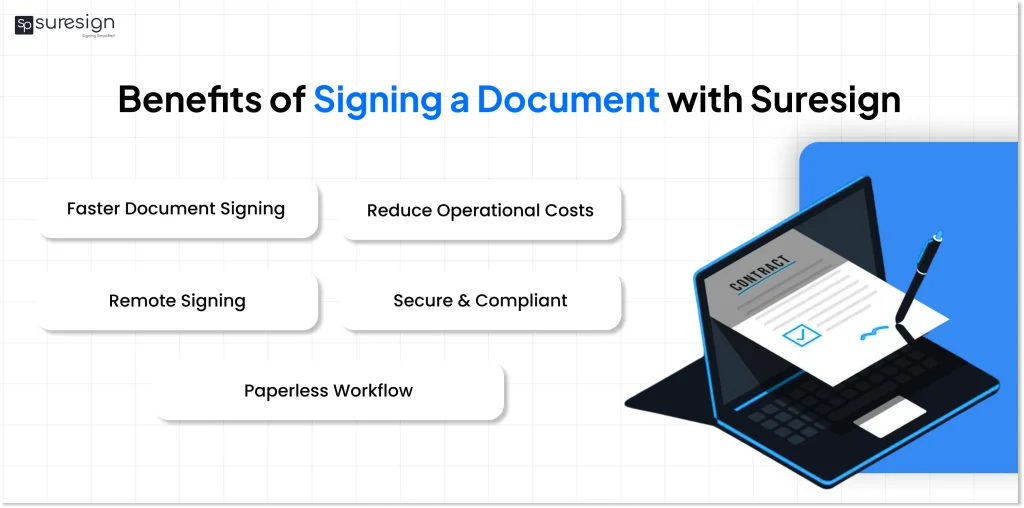
Benefits of Signing a Document with Suresign
After knowing how to digitally sign a document, businesses gain the following benefits:
- Quicker paperwork: Documents can be signed quickly, making paperwork simpler and quicker.
- Cost Savings: Reduces the cost of printing, storage, and other logistics.
- Remote Accessibility: Documents can be signed from anywhere as long as there is a network connection.
- Legal Validity: eSigns are legally recognized under the IT Act, 2000 in India.
Difference Between Suresign eSign and Digital Signatures
SureSign eSign and digital signatures are both used to sign documents online, but they work in different ways.
Knowing the difference helps you choose what works best for your needs.
| Feature | SureSign eSign | Digital Signatures |
| Ease of use | Very easy, no setup needed | Needs setup and installation |
| Where it is used | Daily business documents | Government and official filings |
| Setup | No setup required | Must get a DSC first |
| Security | Can be secured by OTP and Aadhaar, document tracking and logs | Very high security with encryption |
| Access | Can sign from anywhere | Only works on configured devices |
Conclusion
For businesses that prioritize speed, security, and efficiency, manual signing is no longer practical. Suresign eSign offers a fast and cost-effective way to sign documents while ensuring legal compliance from anywhere. By adopting digital signing and understanding how to digitally sign PDFs, businesses can take a strong step toward a more efficient, paperless, and future-ready workflow.
FAQs
Ques: How do I eSign a PDF online?
Ans: To eSign a PDF online, upload the document to Suresign choose a signing method, verify your identity, apply the signature, and download the signed PDF.
Ques: What is an electronic sign?
Ans: An eSignature is an electronic way to sign documents online using methods like OTP or Aadhaar-based authentication, removing the need for printing and scanning.
Ques: How long does it take to digitally sign a document?
Ans: eSigning a document usually takes only a few minutes, depending on the signing method and identity verification process.
Ques: What types of documents can be signed using eSignatures?
Ans: eSignatures are commonly used for agreements, consent forms, KYC documents, loan applications, contracts, and employee onboarding paperwork.
Ques: Is eSigning PDFs secure?
Ans: Yes, eSigning PDFs is secure because eSignature platforms use encryption, identity verification, and audit trails to protect documents from tampering.
Ques: Why are businesses replacing manual signing with eSignatures?
Ans: Businesses are switching to eSignatures to save time, reduce costs, improve document tracking, and enable remote signing without paperwork delays.
Automate your KYC Process & reduce Fraud!
We have helped 3000+ companies in reducing Fraud by 95%