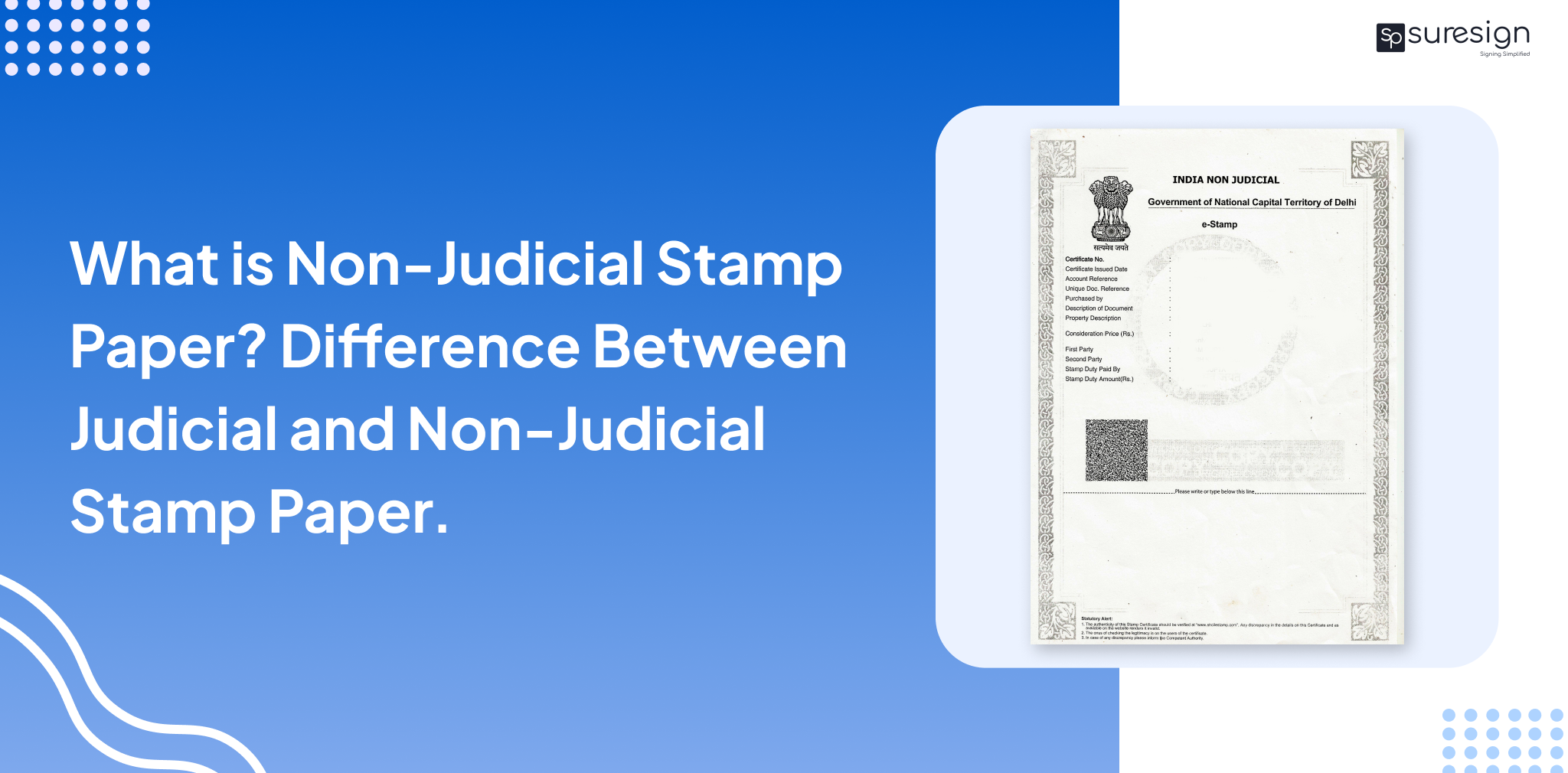

e-Stamp paper is a digital version of stamp paper used for agreements, affidavits, and property-related documents such as registration, sale deeds, etc. It makes it quicker and smoother with lower forgery risk, thanks to the Unique Identification Number or UIN for short, making deals fairer for both the parties involved, let’s see how one can download this document online using the official portal.
What is an eStamp Paper?
It is a legally valid digital document issued by SHCIL as proof of stamp duty payment. Unlike physical stamp papers, e-Stamp papers are generated electronically and include a unique identification number (UIN) that enables online verification and prevents duplication or tampering. They are accepted by courts, banks, and registration authorities across India, in accordance with applicable laws in your state and most of the other states and union territories.
eStamp Paper Download: Step-by-Step Process
- Visit the SHCIL Site.
- Sign In/Up: Click on the “Citizen Login” and login to your account or create your account by clicking on “Register Now”.
- Activate Your User ID via eKYC: After registration, activate your account by completing eKYC through your DigiLocker account.
- Select Stamp Duty / Fee Payment Option: Log in to the portal and choose the “Pay Stamp Duty / eCourt Fee Generation / eRegistration Fee Payment” option.
- Enter the Required Details: Complete the data entry form carefully by providing accurate and correct information to avoid errors during e-Stamp generation.
- Make the Online Payment: Once the online payment is successfully completed, the system generates an e-Stamp / eCourt / eRegistration number.
- Download estamp paper: After the e-Stamp or receipt is generated, the estamp paper download starts automatically.
Automate your KYC Process & reduce Fraud!
We have helped 3000+ companies in reducing Fraud by 95%
Common Mistakes To Avoid in eStamp Paper Download:
While filling out legal documents, even a single mistake can make the document void. The following are some of the common mistakes you must avoid while eStamp download:
- Entering the wrong stamp duty amount:
Please make sure the stamp duty amount is correct. - Using the wrong state’s portal:
Not all states accept e-stamp papers, and each document is only valid in the state through whose portal the stamp paper was issued. - Entering wrong details:
Please ensure that details of all the parties involved are correct along with transaction details, and the type of document. - Making assumptions:
Please make sure that you do not make any assumptions regarding notarisation and registration requirements of the e-stamp documents, and double-check the state government’s rules and regulations regarding these processes.
How to Verify Your eStamp Paper?
Check out the steps to verify the stamp paper below:
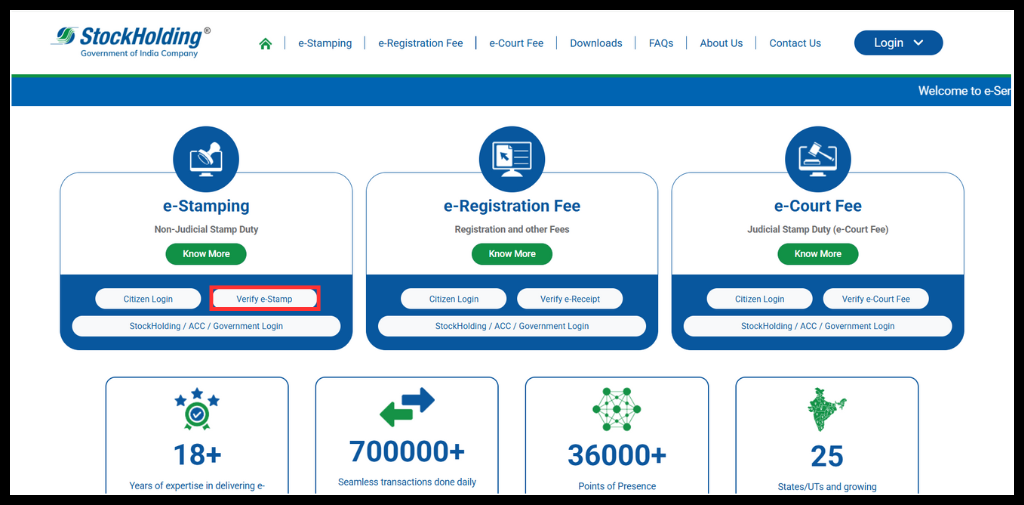
Step 1: Visit the SHICL official site.
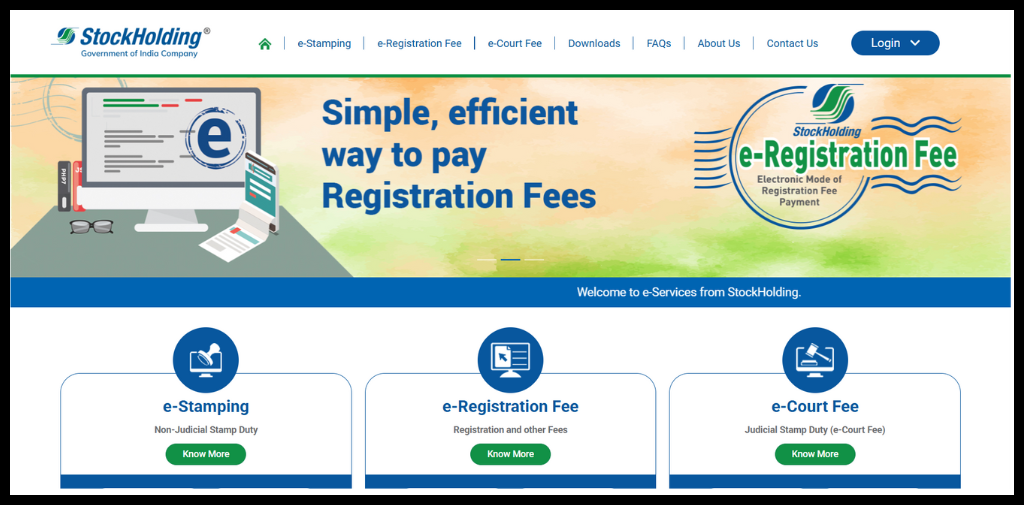
Step 2: Scroll down, select the Verify e-Stamp option.
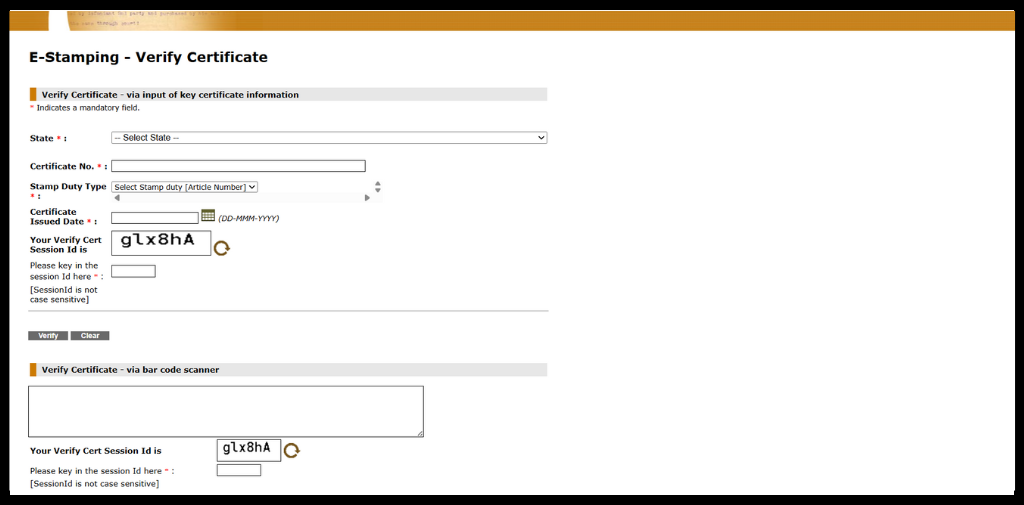
Step 3: Fill out the form and click on Verify
Conclusion
e-Stamp download online is one of the safest ways to get stamp paper. This creates convenience for users, but they must ensure that the amount of stamp duty paid matches the amount to be paid for the document type, that the document is issued by the appropriate state jurisdiction, and that the estamp has been verified and administered as subject to state laws and guidelines.
You can develop an efficient portal to create your e-stamp papers using Surepass’ E-Stamp API.
FAQs
Ques: Is e-Stamp Paper Legally Valid in India?
Ans: Yes, e-Stamp Papers are widely accepted in India, including cities like Delhi and Mumbai, however please check with your state’s guidelines to confirm their validity in your state.
Ques: Can I download e-Stamp Paper in all states?
Ans: No, e-Stamp paper may only be downloaded in the states where it is accepted.
Ques: Can e-Stamp Paper be refunded/cancelled?
Ans: Yes, depending on the case and the state’s rules the e-Stamp paper may be refunded or cancelled.
Ques: Is notarization/registration of the document required after downloading the e-Stamp Paper?
Ans: Depending on the document type, yes. eStamp download only covers the stamp duty and notarization, and registration is required as per the State’s guidelines.
Ques: Is the e-Stamp process scalable for high-volume use cases?
Ans: For platforms handling bulk agreements or registrations, APIs such as Surepass’s e-Stamp API enable faster, scalable, and compliant processing.
Automate your KYC Process & reduce Fraud!
We have helped 3000+ companies in reducing Fraud by 95%