
Signing a document online with security is essential to maintain integrity and prevent tampering. The digital signature certificate solves these issues. It can be used as an alternative to a wet signature and helps sign documents online with security. In this guide, you will learn about what DSC is, its full form, advantages, and the application process.
What is a Digital Signature Certificate?
A Digital Signature Certificate is an online certificate that proves your identity and lets you sign documents digitally.
It keeps the document safe and prevents tampering after signing. Once you sign a document with a DSC, you cannot deny that you have signed it.
That’s why it is accepted on government websites. It is commonly used for income tax filing, GST returns, MCA work, e-tenders, and other official tasks.
Automate your KYC Process & reduce Fraud!
We have helped 3000+ companies in reducing Fraud by 95%
What information does a certificate contain?
It contains essential information about the certificate holder and the CA authority details:
- Name of Individual or Organization
- Email Address
- Country
- Public Key
- Certificate Validity Period
- Details of issuing Certifying Authority
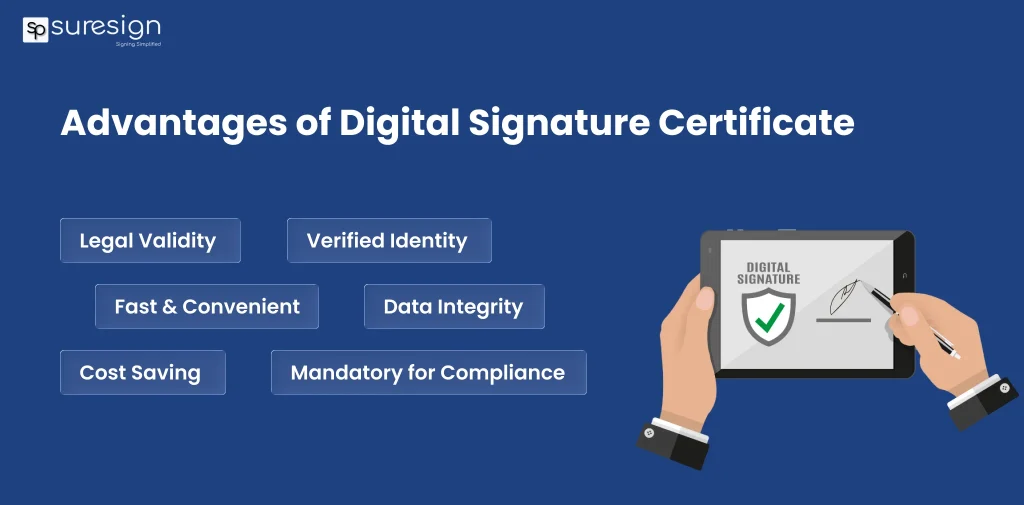
Advantages of Digital Signature Certificate
These are the main advantages of DSCs, which make it highly usable:
- Legal Validity
This certificate is legally valid under the Indian Information Act, 2000. So, you can sign a document without worry of legal validity.
- Authentication of Identity
It ensures that the signer’s identity is verified and authentic. It prevents impersonation and misuse.
- Data Integrity
If a document is signed with DSC, it cannot be tampered with or altered after the signing. Any changes invalidate the signature.
- Efficient
You can sign a document online anytime. It eliminates delays that occur due to manual paperwork.
- Reduce Cost
Online signing reduces the cost spent on printing, courier services, storage, and administrative works.
- Required for Government Filing
It is essential for income tax e-filing, GST filings, company registration, and other regulatory submissions.
- Easy to Verify
Anyone receiving the digitally signed document can easily verify the digital signature certificate, and ensure that no changes has made after signing.
- Prevent Fraud
A DSC uses a unique public and private key to link a verified identity to the signer. It reduces the risk of impersonation and unauthorized signing.
Types of Digital Signature Certificates
It is mainly classified based on identity verification and security level:
- Class 1 DSC – Basic Level
It is primarily used for securing email communication and basic identification. It confirms personal name and email details against the database. This type of DSC is not used for statutory or official government processes.
- Class 2 DSC – Medium Level
It was used for filing IT returns, MCA forms, and ROC filings. Directors use this signature to sign documents. However, it is instructed to discontinue from January 1, 2021. Now, it is replaced with the class 3 DSC. According to regulatory guidelines, Class 2 DSC will not be issued to new applications.
- Class 3 DSC – High Level
It offers the highest level of security. It is used for e-tendering, e-auctions, and signing sensitive legal documents online. It is issued under a strict verification process that includes video or in-person verification.
What is the validity of the Digital Signature Certificate?
It is valid for a period of one or two years. You can select the period of validity. Once the validity period expires, it becomes inactive and cannot be used in the signing of documents or for filing returns. If you want to use the certificate for a long period, you must renew your DSC by contacting the Certification Authority before expiry.
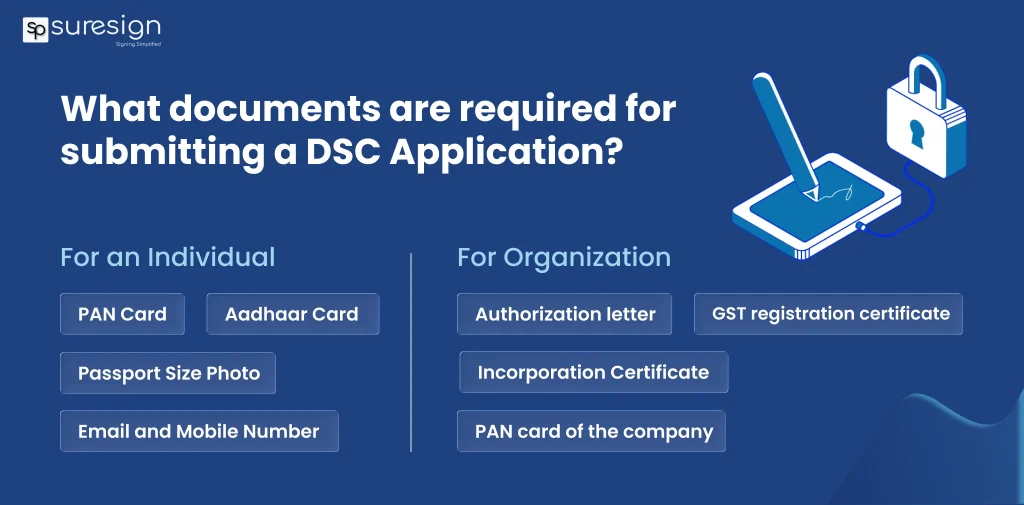
What documents are required for submitting a DSC Application?
You need the self-assessed copy of the following documents to apply for DSC:
For an Individual
- PAN Card
- Aadhaar Card
- Passport Size Photo
- Email and Mobile Number
- Address proof document (Passport, Driving License, Voter ID, etc.)
For Organization
- Authorization letter
- Organizational Proof (PAN card of the company, Incorporation Certificate, or GST registration certificate)
How to get a Digital Signature Certificate?
Many government-licensed CAs provide DSC services. Select any of the CA (Certifying Authority), complete the application and verification process, and receive your DSC along with a USB token.
- Visit eMudhra
- Select the DSC Class, Validity, and Signature Type
- Fill in the required information
- Complete eKYC with Aadhaar OTP verification
- Pay Fees
- Complete online verification with video
- Get DSC to your registered email address
List of Licensed Certifying Authorities in India
Only a licensed Certifying Authority approved by the Controller of Certifying Authorities (CCA) can issue a DSC to a user. Here is the list of Licensed Certifying Authorities in India:
- Safescrypt
- nCode Solutions
- eMudhra
- Capricorn
- Verasys (Vsign
- IDSign
- Pantasign
- XtraTrust
- ProDigiSign
- SignX
- Care4Sign
- RISL
Remember that the list changes with time as new licenses are issued to organizations.
How to Download a Digital Signature Certificate?
You can download DSC from eMudhra:
- Step 1: Insert the USB Token into the computer
- Step 2: Open the eMudhra website and click on DSC Download Certificate
- Step 3: Enter on emClick
- Step 4: Enter the required details (Application Number and Challenge Code)
- Step 5: The code will be sent to your registered mobile number. Enter your USB PIN, click on agree, and download.
- Step 6: The Digital Signature Certificate will be downloaded to the USB token.
Important Things to Know Before Using a DSC
Before using a certificate, you should understand some points to avoid errors and misuse:
- Keep the USB token PIN private and safe, as entering the wrong PIN and making multiple attempts can lock the token.
- It is a personal, sensitive document and should never be shared with anyone.
- Digital Signature Certificate holders should handle it properly to prevent damage or loss.
- Renew or DSC on time to avoid interruption while official filling and online transactions.
Final Words
A digital signature certificate is a secure, legally valid, and tamper-proof way of signing a document online. It is used for income tax e-filing, MCA submission, e-tenders, and other official purposes. It is a reliable solution for digital signing that saves time, reduces paperwork, maintains data integrity, and prevents document fraud. You can get DSC by applying to licensed Certifying authorities just by follwing above step-by-step guide.
FAQs
Ques: What is DSC?
Ans: It is an electronic signature is used to verify the authenticity of a person or organization.
Ques: What is DSC full form?
Ans: DSC full form is Digital Signature Certificate.
Ques: How to get a DSC?
Ans: Apply to a licensed Certifying Authority, complete an identity check, and obtain the certification.
Ques: What is the use of DSC?
Ans: It is mainly used for secure online authentication, digital signing of documents, and filing on government portals.
Ques: What are the main types of Digital signature certificates?
Ans: Class 1, Class 2, and Class 3 are the main types of DSCs.
Ques: Is DSC legally Valid in India?
Ans: Yes, it is legally valid under the Information Technology Act, 2000.
Automate your KYC Process & reduce Fraud!
We have helped 3000+ companies in reducing Fraud by 95%